


Introduction
In the modern software development landscape, the gap between high-level business strategy and low-level technical implementation is often where projects fail. Lightweight drawing tools allow teams to sketch ideas quickly, but they lack the semantic depth required for true engineering. They produce pictures, not models.
Visual Paradigm Desktop bridges this divide. It is a heavyweight, offline-first application designed for deep semantic modeling, strict notation compliance, and full lifecycle support. But its power is no longer confined to the desktop. By integrating with Visual Paradigm’s broader ecosystem—including AI-assisted generation, cloud repositories, and collaborative documentation pipelines—teams can accelerate initial design while maintaining rigorous engineering standards.
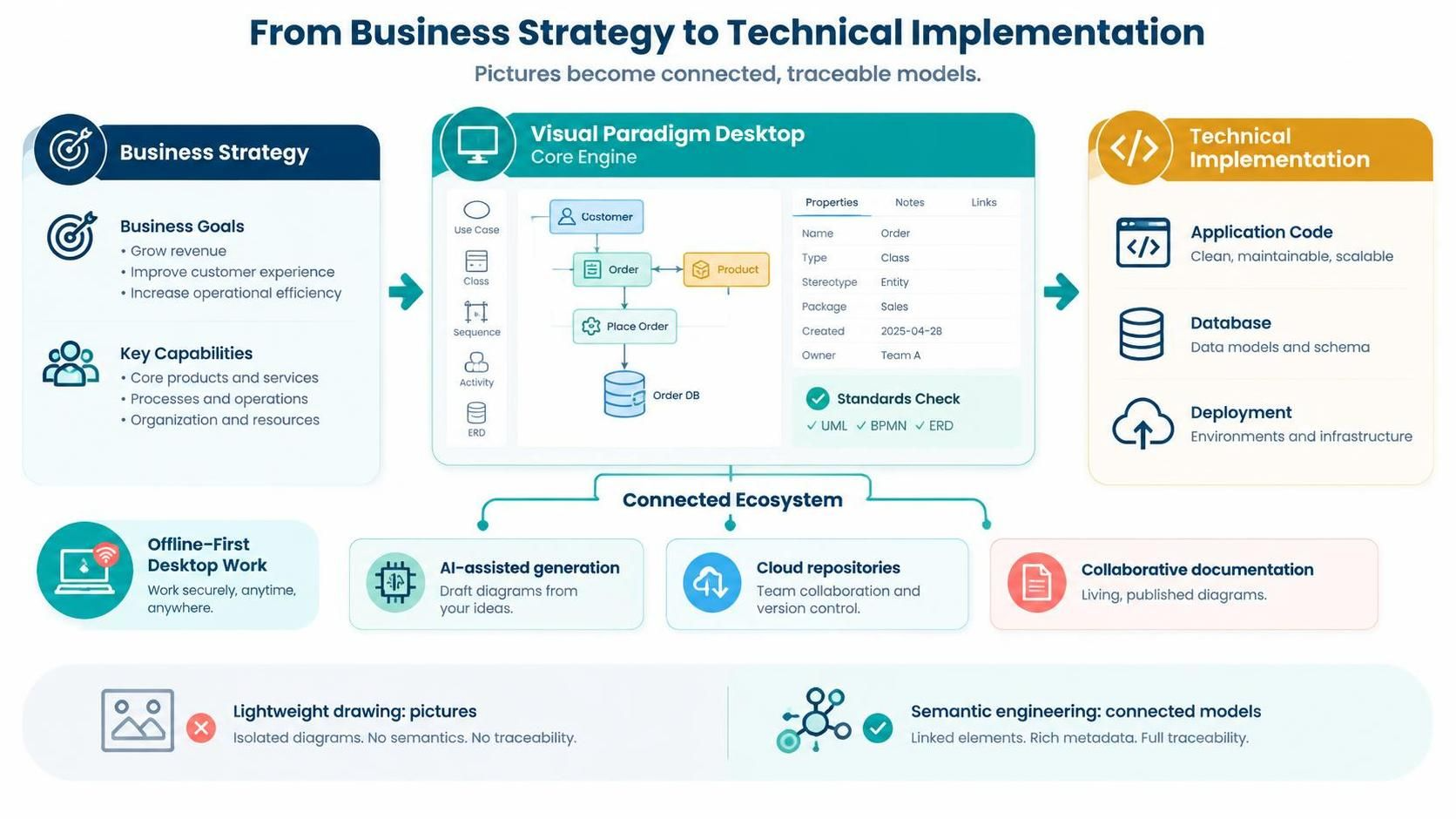
This guide explores how to leverage Visual Paradigm Desktop alongside its AI and ecosystem tools to transform abstract concepts into production-ready architecture, code, and documentation.
1. The Core Engine: Deep Semantic Modeling
At its heart, Visual Paradigm Desktop is built on the principle that every shape on a canvas is more than just a graphic; it is a data-rich model element. This distinction is critical for enterprise-grade work.
Key Capabilities
- Strict Notation Compliance: Whether you are mapping business processes with BPMN, designing software structures with UML or SysML, or defining data schemas with ERD, VP Desktop enforces industry standards. This ensures that your diagrams are not just visually appealing but technically valid.
- Deep Property Tracking: Every element carries metadata. A class in a UML diagram isn’t just a box; it holds attributes, operations, visibility modifiers, and relationships that can be traced across multiple sub-diagrams.
- Offline Reliability: All work is stored in local
.vpprjproject files. This eliminates cloud latency, ensures data sovereignty, and allows engineers to work seamlessly without internet connectivity.
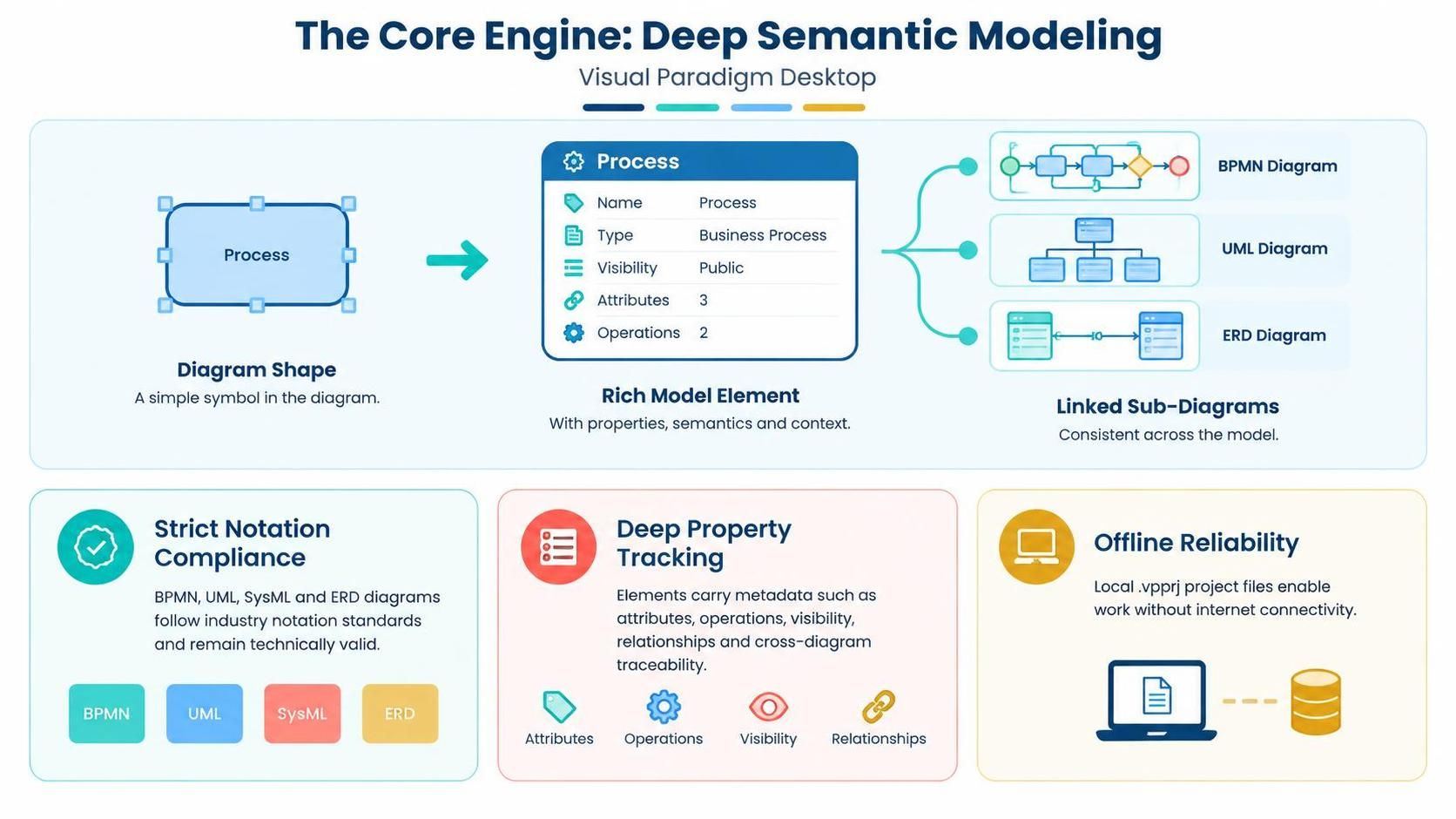 Image: Visual Modeling Standards – Showing a complex UML Class Diagram with detailed properties panel
2. Bridging Design and Implementation: Code & Database Engineering
One of the most powerful features of VP Desktop is its ability to translate visual models into executable artifacts and vice versa. This “round-trip engineering” capability ensures that architecture and code never drift apart.
Round-Trip Engineering Workflow
- Model-to-Code: Generate skeleton source code in Java, C#, or other languages directly from class and sequence diagrams. This accelerates boilerplate creation and ensures implementation matches design.
- Code-to-Model: Reverse-engineer existing legacy codebases into visual architecture models. This is invaluable for understanding undocumented systems or planning refactoring efforts.
- Database Synchronization: Design relational databases visually using ERD tools, then generate SQL scripts to create live databases. Conversely, sync changes from a live database back into your visual model to keep documentation current.
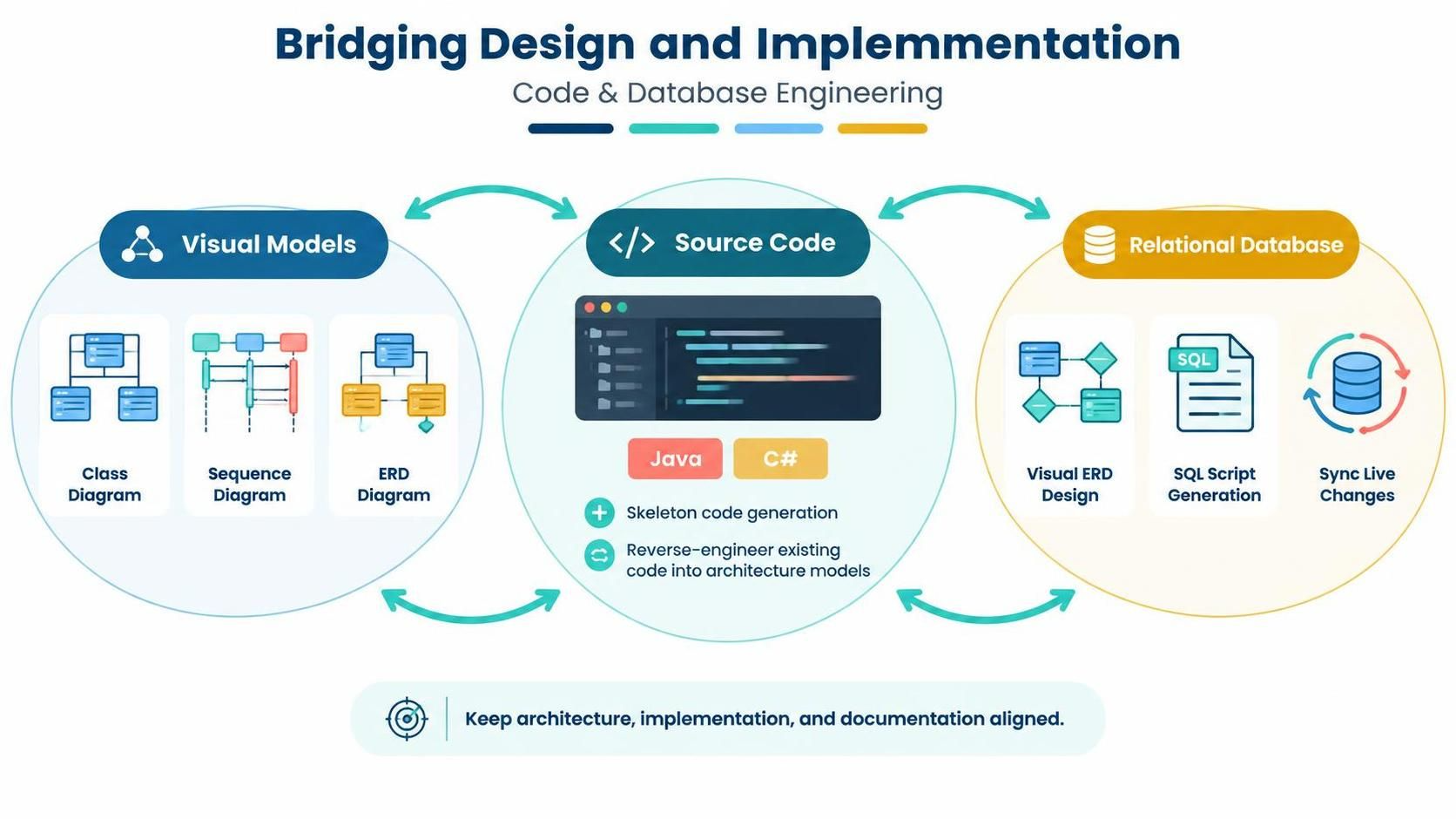
Image: Code & Database Engineering – Showing a side-by-side view of an ERD diagram and generated SQL code
3. Accelerating Design with AI-Assisted Modeling
While VP Desktop provides the rigor, starting from a blank canvas can be time-consuming. This is where the Visual Paradigm AI Ecosystem comes into play.
The AI Workflow
- Natural Language to Diagram: Use the VPP Chatbot or web-based AI tools to describe a system in plain English (e.g., “Create a sequence diagram for a user login process with OAuth2”). The AI generates a baseline structural diagram.
- Import and Refine: Import these AI-generated drafts directly into VP Desktop. Here, you refine them into strict, traceable, production-ready specifications by adding detailed properties, correcting notation errors, and linking to other model elements.
- Productivity Boost: This hybrid approach combines the speed of generative AI with the precision of manual engineering, significantly reducing the time spent on initial drafting
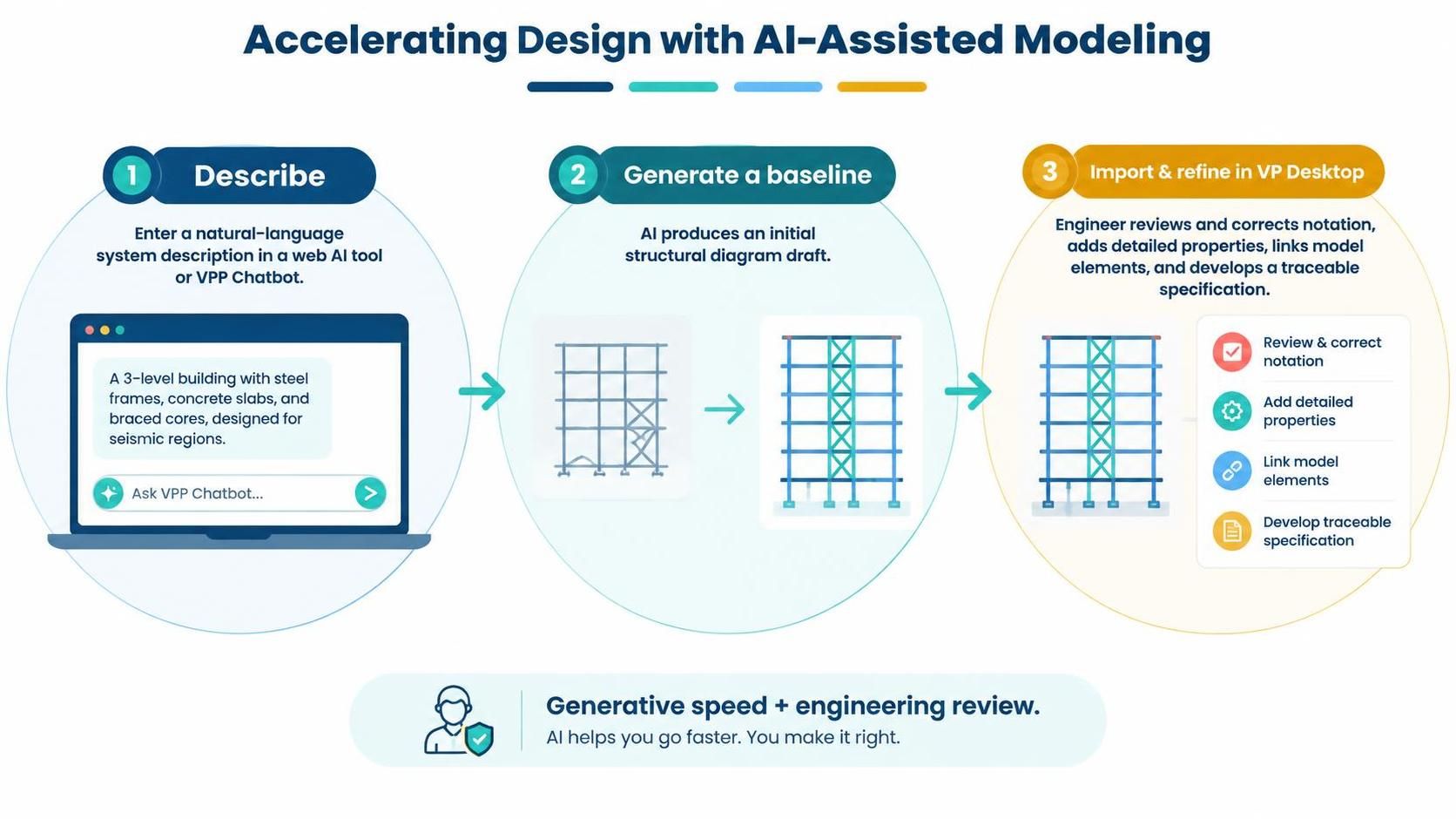
AI-Assisted Modeling – Showing the AI chat interface generating a diagram which is then imported into the Desktop editor
4. Enterprise Architecture at Scale
For organizations managing large-scale IT landscapes, VP Desktop supports certified frameworks that go beyond simple diagramming.
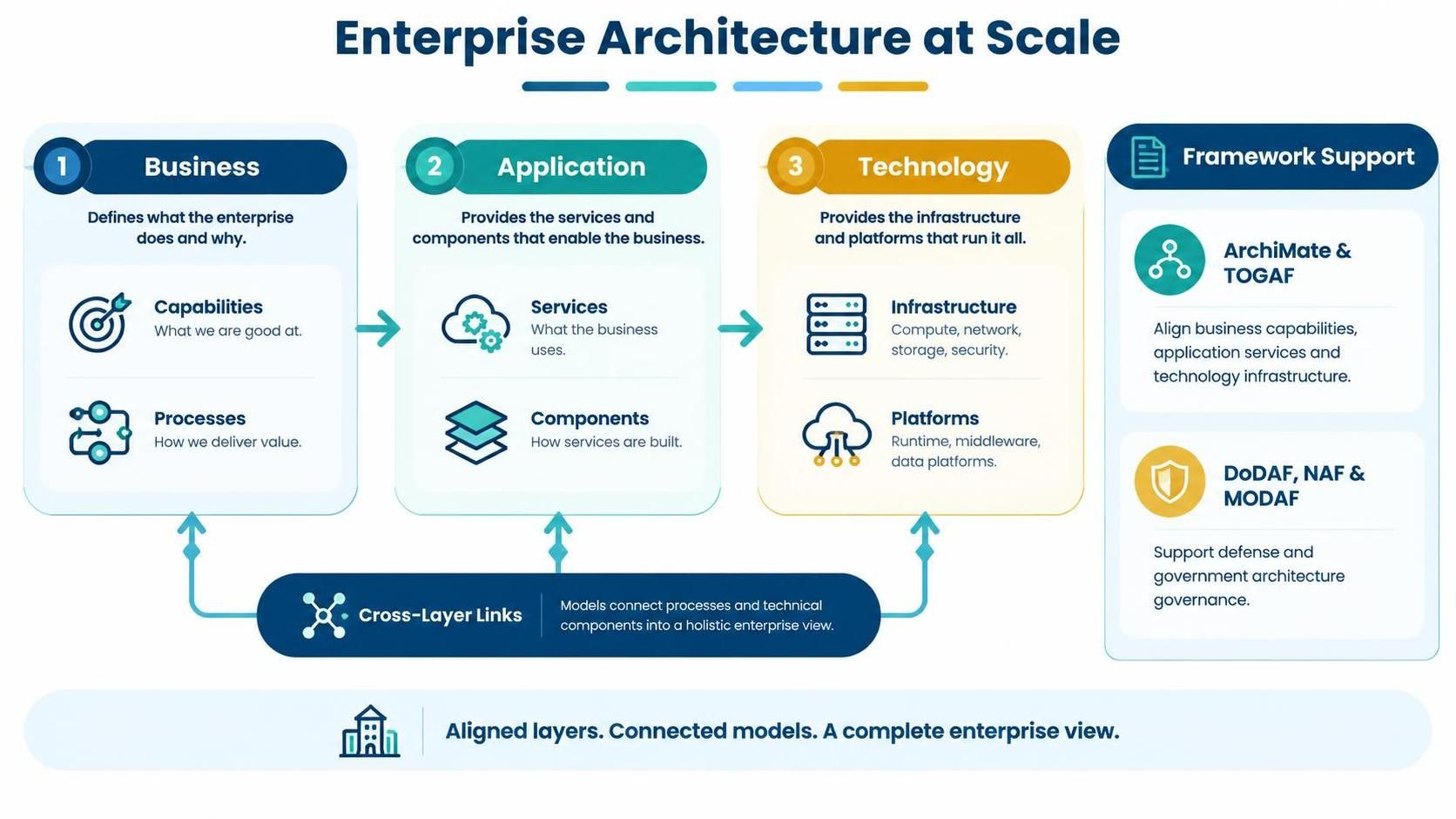
Image: Enterprise Architecture – Showing an ArchiMate viewpoint mapping business layers to technology layers
Framework Support
- ArchiMate & TOGAF: Model business capabilities, application services, and technology infrastructure using standardized ArchiMate notation. This is essential for aligning IT strategy with business goals.
- Defense Frameworks: Support for DoDAF, NAF, and MODAF makes VP Desktop suitable for government and defense sector projects requiring strict architectural governance.
These models are not isolated; they connect to business processes and technical components, providing a holistic view of the enterprise.
5. The Unified Platform: Connecting Desktop to Cloud Collaboration
While VP Desktop excels at heavy engineering, modern teams need collaboration. The Visual Paradigm Unified Platform connects the desktop experience with cloud-based tools.
|
Core Component
|
Role in the Workflow
|
Integration with VP Desktop
|
|---|---|---|
|
VP Online
|
Browser-based diagramming & office productivity
|
Launch lightweight web tools from Desktop; share artifacts for stakeholder review without requiring desktop licenses.
|
|
VP Cloud / Repository
|
Centralized version control & team workspace
|
Sync local
.vpprj files to the cloud. Enable multi-user concurrency, version history, annotations, and merge conflict resolution. |
|
OpenDocs Pipeline
|
Collaborative, living web documentation
|
Push formal models from Desktop to OpenDocs. Embed live, interactive diagrams in team wikis or documentation sites that update automatically when the model changes.
|
This ecosystem ensures that the rigorous work done in VP Desktop is accessible, version-controlled, and visible to the entire organization.
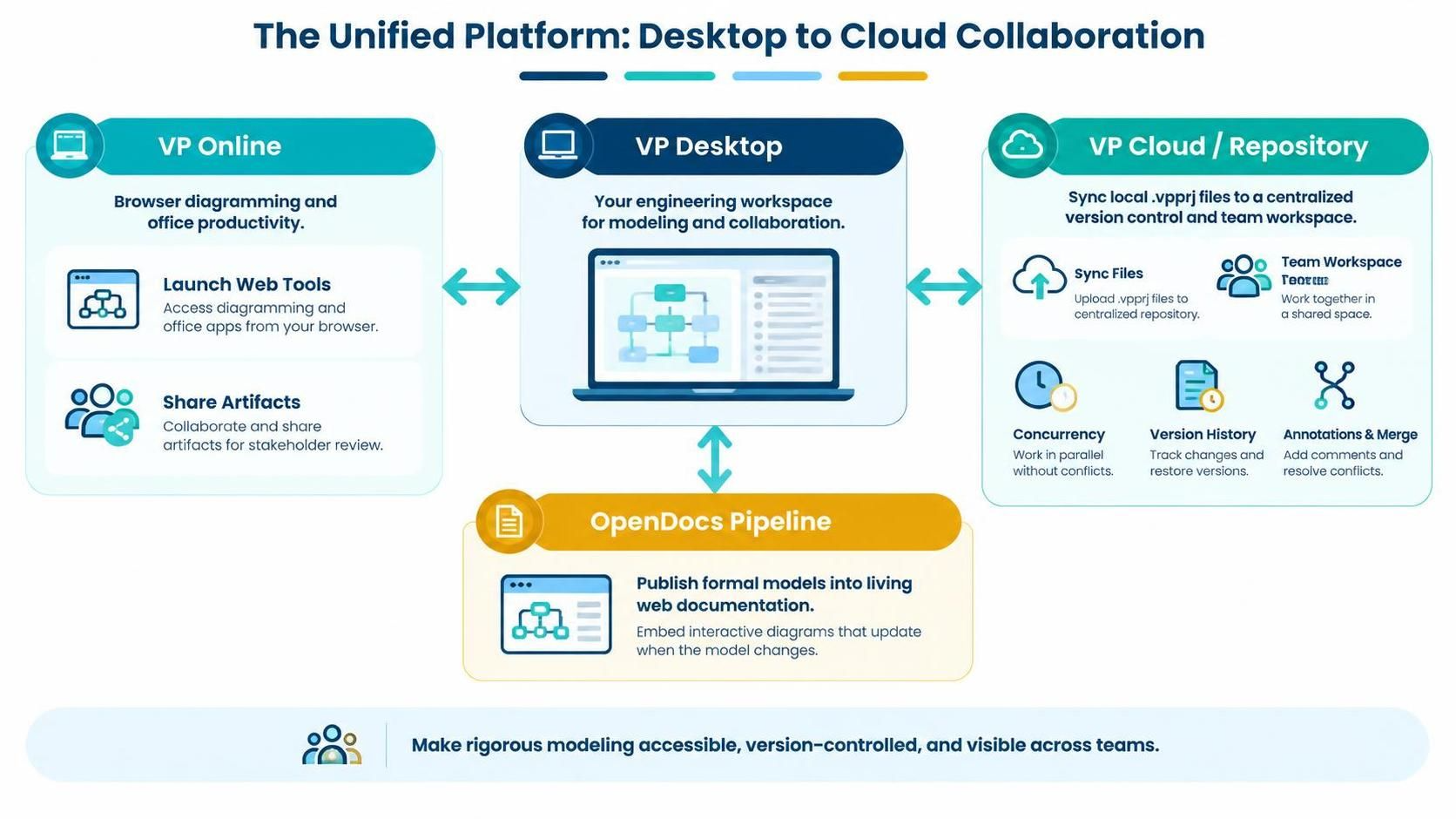
Image: Ecosystem Integration – Showing the flow from VP Desktop to VP Cloud and OpenDocs
6. Choosing the Right Edition
Visual Paradigm Desktop scales to meet different needs. Selecting the right tier ensures you pay only for the capabilities you require.
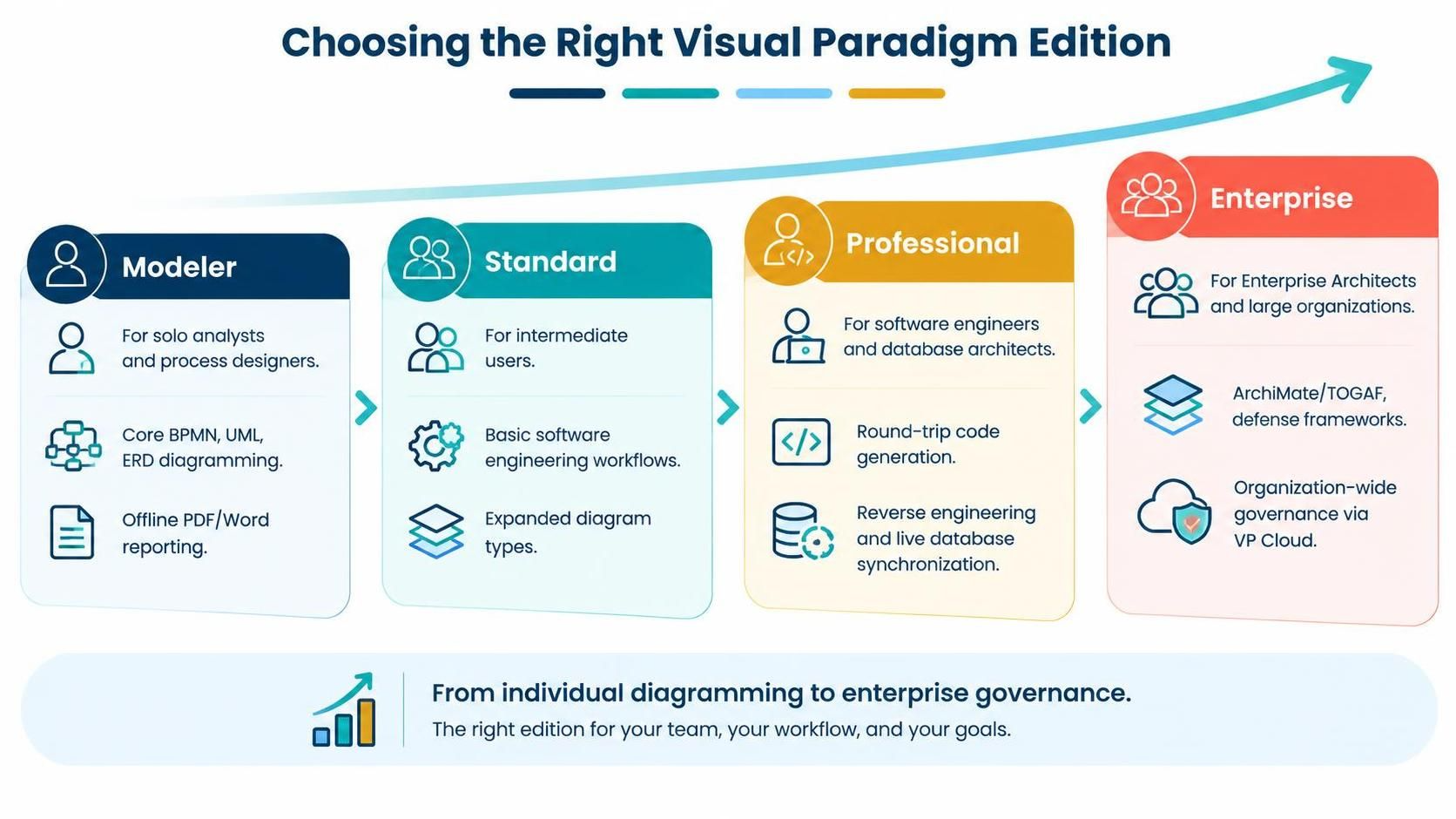
- Modeler: Ideal for solo analysts and process designers who need core BPMN, UML, and ERD diagramming with offline PDF/Word reporting.
- Standard: Adds basic software engineering workflows and expanded diagram types for intermediate users.
- Professional: Essential for software engineers and database architects. Unlocks round-trip code generation, reverse engineering, and live database synchronization.
- Enterprise: Required for Enterprise Architects and large organizations. Delivers full ArchiMate/TOGAF support, defense frameworks, and organization-wide governance capabilities via VP Cloud.
Conclusion
Visual Paradigm Desktop is more than a diagramming tool; it is a comprehensive engineering environment that enforces discipline, ensures accuracy, and bridges the gap between business strategy and technical execution. By combining its deep semantic modeling capabilities with the speed of AI-assisted drafting and the collaboration power of the Unified Platform, teams can achieve a new level of efficiency and clarity.
Whether you are reverse-engineering a legacy system, designing a new microservices architecture, or governing an enterprise-wide transformation, VP Desktop provides the rigor you need, while its ecosystem provides the flexibility your team requires. Start with a prompt, refine with precision, and deploy with confidence.