




USE CASE GUIDE

BUSINESS & TECH LEADERSHIP

Core Advantages of Web-Based Slide Sharing

Transitioning traditional slide decks to web-based formats offers key advantages for modern teams. Discover how browser-native delivery eliminates software bottlenecks, preserves design integrity, and streamlines communication across distributed stakeholders.

Web-Native Slide Rendering & Delivery

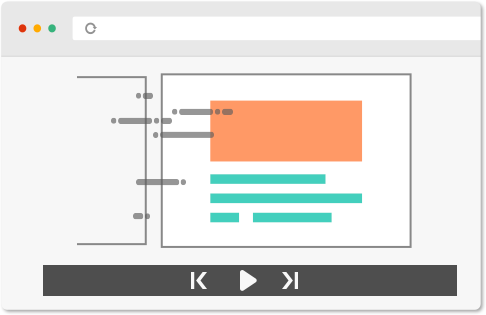
Learn how web-based presentation viewers convert local PowerPoint files into responsive online slide decks. Discover how browser rendering engines preserve dynamic animation sequences, precise slide transitions, and embedded custom visual layouts across desktop and mobile devices without requiring desktop software.

Preserving Motion and Visual Continuity

First impressions and flow matter during live presentations. Learn best practices for maintaining PowerPoint slide transitions, subtle fades, and animation timing across web browsers to ensure technical diagrams and business slides render exactly as intended.

Interactive Markup Techniques for Live Briefings

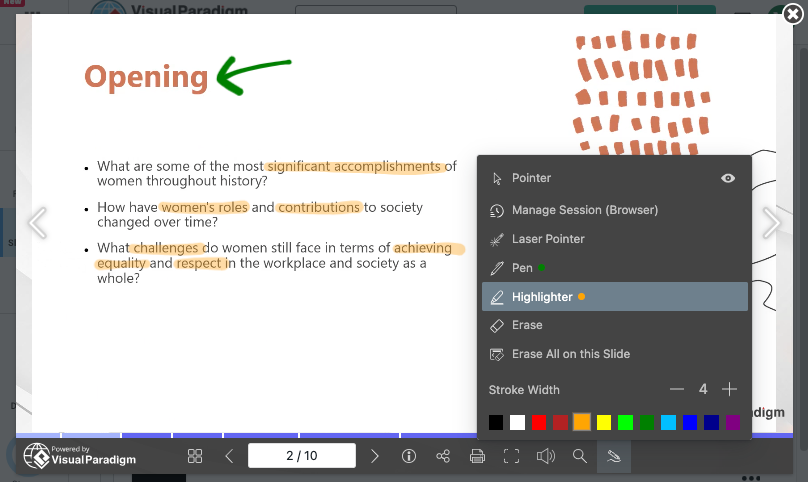
Incorporating real-time visual notes during executive reviews helps keep stakeholders focused on critical data points. Discover how to leverage browser-based markup tools during live virtual presentations.
  • Pen Tool

    Draw directly on web slides to emphasize critical architecture nodes or highlight live data metrics.

  • Highlighter Tool

    Apply non-destructive visual overlays to call attention to key text passages and financial summary rows.

  • Laser Pointer Tool

    Guide audience focus across complex diagrams and slide elements during live virtual meetings.

  • Session-Based Annotations

    Utilize temporary markups that reset automatically upon closing the browser session for clean presentation restarts.

  • Persistent Annotations

    Retain visual markup within your browser environment for ongoing review sessions and multi-stage client discussions.

  • Universal Access

    Access your annotations anytime, anywhere, on any device

Maintaining Brand Consistency Across Digital Slides

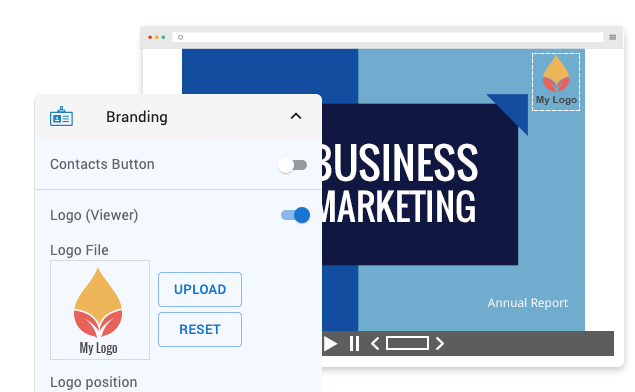
Consistent corporate identity reinforces credibility during executive briefings and client proposals. Discover strategies for embedding custom logos, unified color palettes, and brand guidelines across web-based presentation decks and shared visual assets.

Cross-Device Accessibility and Remote Delivery

Delivering presentations across hybrid and remote environments requires reliable browser-level compatibility. Learn how cloud-hosted slide viewports eliminate device dependence, enabling seamless delivery across desktop monitors, mobile devices, and conference room screens without local file dependencies.

Application Scenarios in Modern Business Environments

Client Proposals & Stakeholder Reviews:

Share web-rendered slide decks directly with external clients to deliver interactive pitches without software downloads or attachment size restrictions.

Cross-Functional Team Collaboration:

Distribute presentation URLs during virtual sprint reviews and project check-ins to ensure team-wide visual alignment across any device.

Interactive Workshops & Seminars:

Facilitate training sessions using web slideshows equipped with live markup tools and fluid transition effects to keep participants engaged.

Sales & Account Management:

Deliver responsive pitch decks and interactive visual documentation to prospective clients, maintaining brand consistency across all touchpoints.


Key Operational Advantages for Teams

Frictionless Distribution

Share interactive presentation decks instantly via direct links, eliminating attachment file-size limits and software installation requirements for recipients.

Unconstrained Team Alignment

Provide teams with immediate browser access to slideshows and visual system documentation to facilitate review, discussion, and decision-making.

Intuitive Web Adoption

Leverage straightforward browser controls to publish, present, and navigate complex decks without requiring specialized technical training.

Advance Your Visual Presentation and Modeling Workflows

Integrating browser-based presentation delivery with AI-assisted diagramming builds a clear bridge between executive communication and technical execution. Explore complete workflow tutorials to master web presentation techniques and streamline software modeling using Visual Paradigm.