




USE CASE GUIDE

PORTFOLIO PRESENTATIONS FOR CREATIVES

Delivering High-Fidelity Design Workflows

Presenting creative portfolios requires exact preservation of visual detail, typography, color palettes, and motion transitions without file-size limitations or software compatibility barriers.

When sharing work with prospective clients, creative directors, or prospective employers, static PDF attachments often strip out dynamic transitions, while raw project files require specialized local software that recipients may not possess. Modern web-rendered slide viewports solve this by delivering high-resolution visual decks directly through standard web browsers.

Web-Based Slide Rendering

Transform design decks into browser-accessible viewports that preserve precise layouts, motion timing, and animation sequences without requiring recipients to install local software.

Ubiquitous Cross-Device Access

Review or present creative portfolios from desktop, tablet, or mobile browsers, ensuring consistent layout presentation across all client touchpoints.

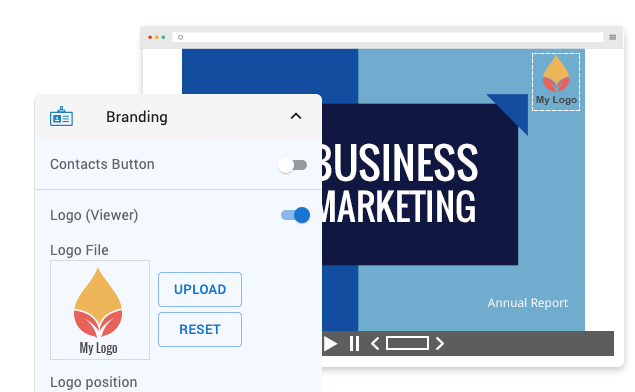
Custom Branding & Visual Identity

Standardize portfolio presentation frames by incorporating custom logos, typography, and color palettes to maintain a polished professional standard.

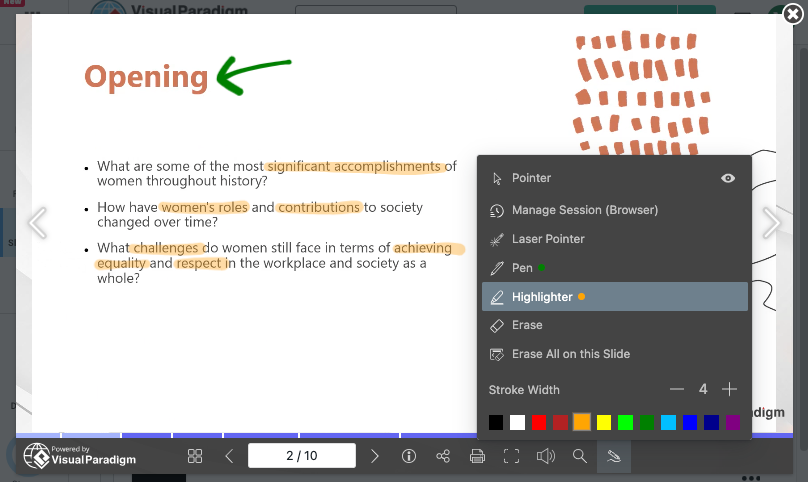
Interactive Markup & Annotations

Utilize browser-native drawing tools, highlighters, and laser pointers during live creative reviews to discuss layout adjustments and feedback in real time.
  • Pen Tool

    Draw and emphasize key points directly on your slides.

  • Highlighter Tool

    Highlight important content to grab attention.

  • Laser Pointer Tool

    Guide your audience with precision during live presentations.

  • Session-Based Annotations

    Automatically clear annotations when you close your browser for a fresh start every time.

  • Persistent Annotations

    Keep annotations within your browser profile for continuity.

  • Universal Access

    Access your annotations anytime, anywhere, on any device

Precise Motion & Transition Preservation

Maintain custom slide transition effects so that visual case studies and design narratives unfold smoothly without jarring cuts.

How Portfolio Presentations for Creatives

Client Portfolio Reviews

Share live web links with prospective clients to walk through design case studies instantly without sending bulky file attachments.

Remote Creative Collaboration

Distribute project mood boards and visual concepts across distributed teams to gather feedback and align on creative direction.

Interactive Design Seminars

Present visual work in workshops using browser viewports equipped with fluid navigation and annotation tools.


Key Operational Advantages for Visual Portfolios

High-Fidelity Visual Parity

Preserve full-resolution image quality, custom vector layouts, and smooth motion transitions without downscaling or compression artifacing.

Streamlined Brand Customization

Incorporate custom corporate logos, color schemes, and custom typography across all published slide viewports to maintain visual consistency.

Frictionless Link-Based Sharing

Distribute portfolio decks via direct web URLs, eliminating file size restrictions, email attachment limits, and third-party software dependencies.

Advance Your Visual Presentation and Modeling Workflows

Integrating browser-based presentation delivery with AI-assisted diagramming builds a clear bridge between executive communication and technical execution. Explore complete workflow tutorials to master web presentation techniques and streamline software modeling using Visual Paradigm.