




USE CASE GUIDE

SALES & CLIENT PRESENTATIONS

Elevating Proposal Delivery in Modern Sales Workflows

High-stakes sales pitches and client reviews require immediate visual impact, consistent branding, and flawless playback across hardware platforms. Utilizing browser-based presentation viewports eliminates file version conflicts and software installation hurdles, ensuring prospective clients experience slide layouts, motion timing, and visual assets exactly as designed.

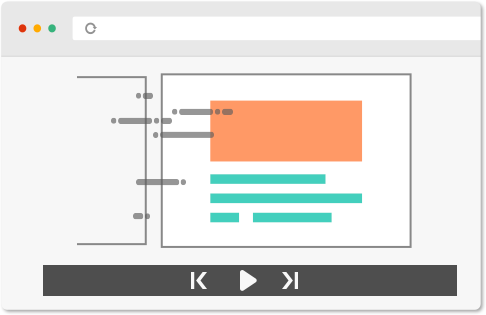
Web Presentation Viewports

Render PowerPoint sales decks directly within browser viewports to preserve custom typography, layout alignment, and high-resolution product imagery without file conversion errors.

Preserved Motion & Transitions

Retain slide transition timing and sequential object animations to ensure prospective clients follow complex solution offerings seamlessly.

Interactive Markup Tools

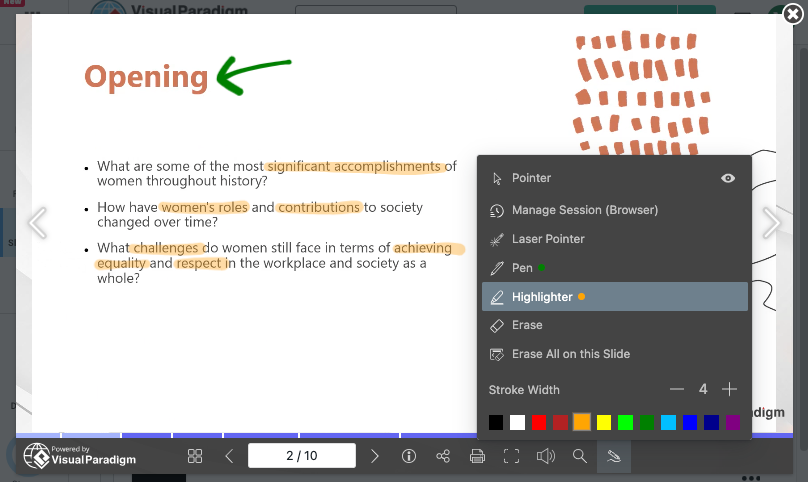
Utilize integrated pen, highlighter, and laser pointer tools during live virtual pitches to draw attention to pricing tiers, ROI metrics, and implementation timelines.
  • Pen Tool

    Draw and emphasize key points directly on your slides.

  • Highlighter Tool

    Highlight important content to grab attention.

  • Laser Pointer Tool

    Guide your audience with precision during live presentations.

  • Session-Based Annotations

    Automatically clear annotations when you close your browser for a fresh start every time.

  • Persistent Annotations

    Keep annotations within your browser profile for continuity.

  • Universal Access

    Access your annotations anytime, anywhere, on any device

Corporate Brand Governance

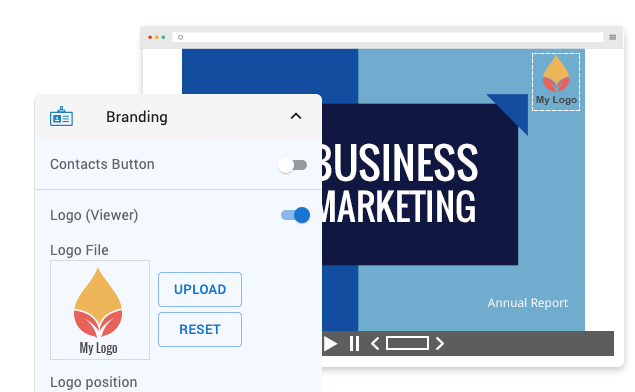
Incorporate standardized company logos, color palettes, and slide themes into published web decks to maintain brand alignment across distributed sales teams.

Universal Multi-Device Access

Deliver client pitches across desktop, tablet, or mobile browsers without requiring prospects to download specialized viewers or plugins.

How Sales & Client Presentations

Virtual Discovery & Proposal Pitches

Walk prospective buyers through custom pitch decks during remote sales calls using web-based viewports for fluid slide transitions.

Client Onboarding & Solution Overviews

Share interactive solution architectures and implementation roadmaps with newly signed clients to establish project alignment.

Executive Summary Reviews

Send direct presentation links to key executive decision-makers for quick asynchronous review across mobile or desktop devices.


Key Operational Advantages for Sales Teams

Frictionless Prospect Sharing

Distribute proposal decks via direct web links, avoiding email attachment size limits and firewalls that block external document downloads.

Session & Profile Annotations

Choose between temporary session markups for clean prospect walk-throughs or persistent profile annotations to track ongoing client feedback across multi-stage sales cycles.

Consistent Visual Standards

Ensure every account executive and sales representative delivers pitch materials formatted to organizational design guidelines.

Advance Your Visual Presentation and Modeling Workflows

Integrating browser-based presentation delivery with AI-assisted diagramming builds a clear bridge between executive communication and technical execution. Explore complete workflow tutorials to master web presentation techniques and streamline software modeling using Visual Paradigm.