




USE CASE GUIDE

VIRTUAL CONFERENCE & EVENT PRESENTATIONS

Optimizing Presentation Delivery for Large-Scale Virtual Events

Delivering presentations to distributed conference attendees requires flawless compatibility, dependable browser streaming, and precise layout preservation. Utilizing web-rendered presentation viewports eliminates software version conflicts and video output lags, allowing speakers to broadcast slides globally with complete visual fidelity.

Web Presentation Viewports

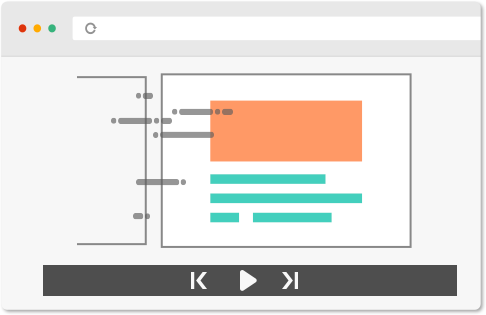
Stream PowerPoint event decks directly through modern browser viewports, avoiding local file rendering errors and software compatibility issues during live broadcasts.

Interactive Live Markup Tools

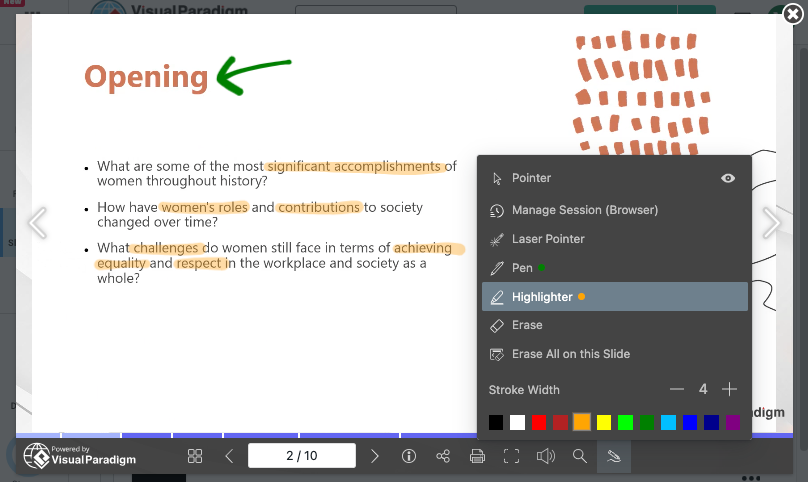
Leverage integrated laser pointers, highlighters, and annotation pens during virtual keynote sessions to direct audience focus across complex data slides.
  • Pen Tool

    Draw and emphasize key points directly on your slides.

  • Highlighter Tool

    Highlight important content to grab attention.

  • Laser Pointer Tool

    Guide your audience with precision during live presentations.

  • Session-Based Annotations

    Automatically clear annotations when you close your browser for a fresh start every time.

  • Persistent Annotations

    Keep annotations within your browser profile for continuity.

  • Universal Access

    Access your annotations anytime, anywhere, on any device

Preserved Motion & Transitions

Maintain custom slide timings, object builds, and visual sequences so that multi-speaker conference streams flow without abrupt formatting shifts.

Universal Multi-Device Access

Enable conference attendees to view live or on-demand presentation feeds across desktop computers, tablets, and mobile browsers without installing plugins.

Event-Wide Brand Governance

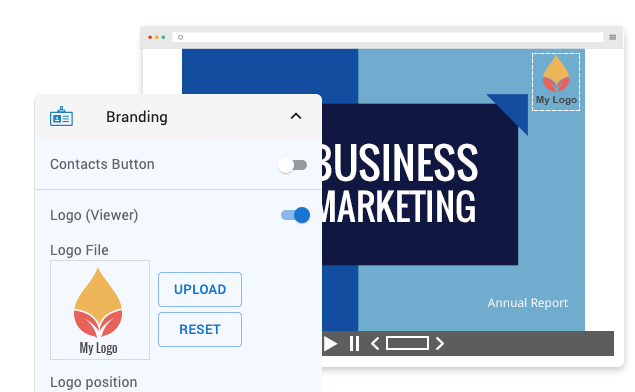
Standardize presentation frames by integrating unified event logos, color palettes, and custom typography across all speaker sessions.

How Virtual Conference & Event Presentations

Large-Scale Virtual Keynotes

Stream media-rich presentation decks to thousands of global participants with reliable web rendering and layout stability.

Multi-Track Academic & Industry Symposia

Coordinate presentations across concurrent digital rooms using standardized browser viewports and simple URL sharing.

On-Demand Conference Archives

Provide attendees with persistent web links to review slide decks, architecture diagrams, and conference notes after the live event concludes.


Key Operational Advantages for Event Organizers

Flexible Real-Time & On-Demand Delivery

Broadcast live presentation links during conference sessions or publish them for asynchronous attendee review post-event.

Unified Visual Branding

Establish a cohesive look and feel across multi-track conference schedules by applying standardized presentation styling.

Session-Based Annotations

Manage speaker notes and markup states across recurring webinar panels or clear temporary notes automatically between sessions.

Advance Your Visual Presentation and Modeling Workflows

Integrating browser-based presentation delivery with AI-assisted diagramming builds a clear bridge between executive communication and technical execution. Explore complete workflow tutorials to master web presentation techniques and streamline software modeling using Visual Paradigm.