
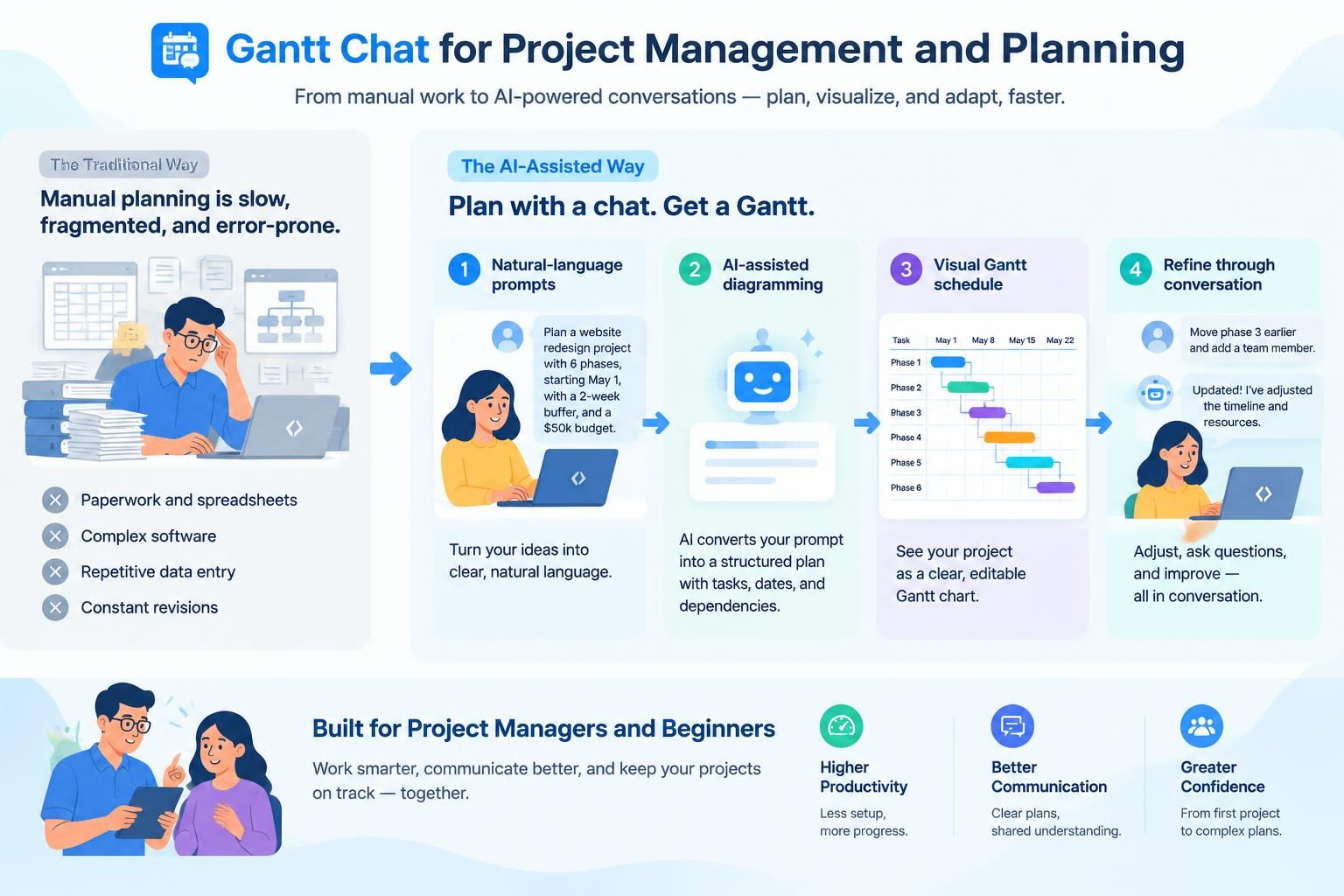
Project management has traditionally been a battleground where time and complexity collide. Managers often find themselves buried under spreadsheets, manual data entry, and the constant, tedious revisions of Gantt charts. However, a significant paradigm shift is occurring. The integration of Large Language Models (LLMs) into project management software is transforming how we visualize work.
This tutorial explores the architecture and utility of Visual Paradigm’s Gantt Chat. We will move beyond simple definitions to understand how natural language processing (NLP) is being translated into structured, executable diagramming code, specifically focusing on the workflow from “text prompt” to “visual schedule.”
From Manual Chaos to AI-Assisted Clarity
The traditional method of creating a Gantt chart involves a linear, often frustrating process: selecting a tool, defining the work breakdown structure (WBS) manually, setting start and end dates, assigning resources, and manually drawing dependencies. This is prone to error and lacks agility.
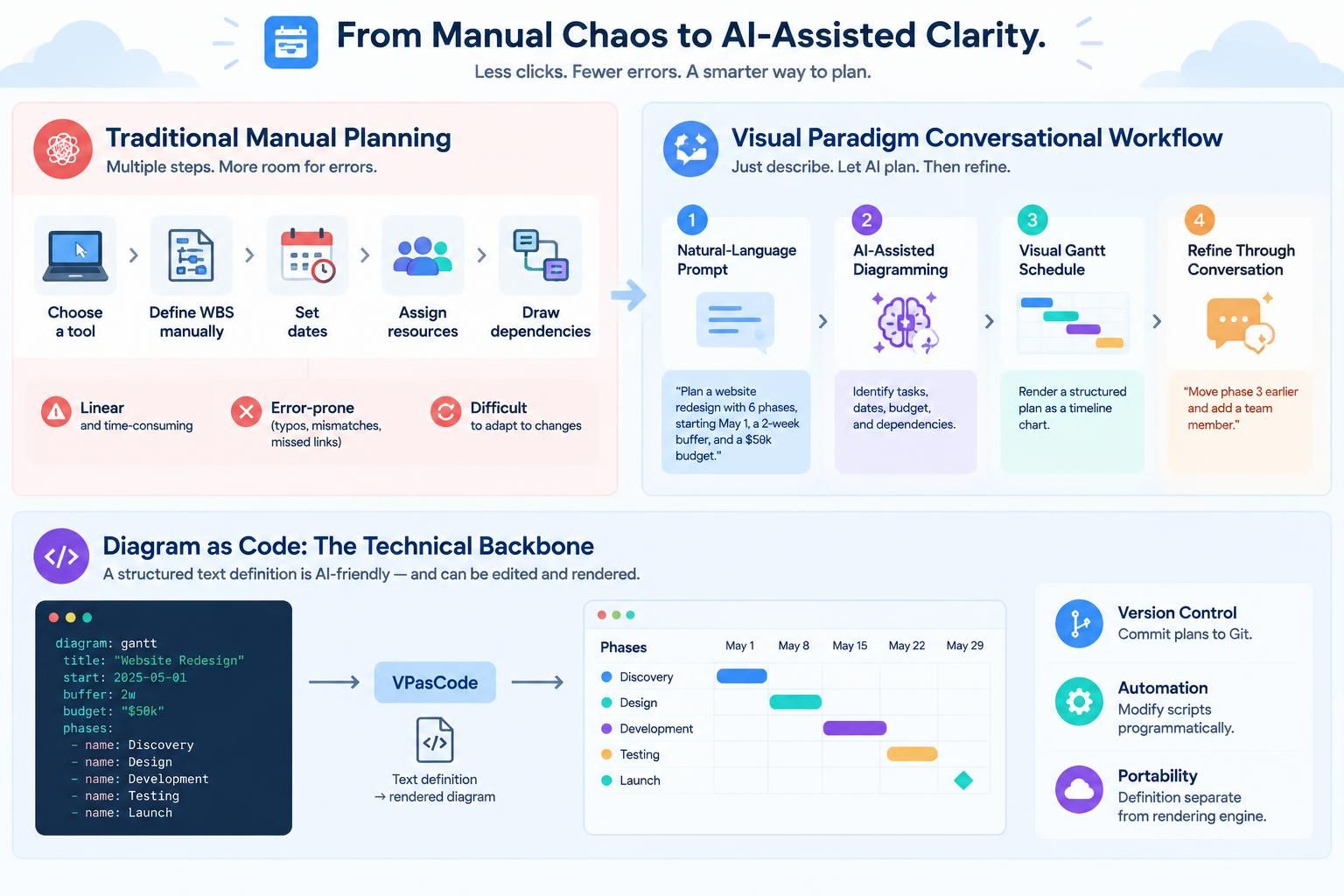 Visual Paradigm introduces a conversational architecture. Instead of a rigid interface, the system utilizes a chatbot interface to interpret user intent. The core workflow, as demonstrated in the Visual Paradigm ecosystem, follows four distinct steps:
- Natural-Language Prompts: The user inputs a request using plain English. For example: “Plan a website redesign project with 6 phases, starting May 1, with a 2-week buffer, and a $50k budget.”
- AI-Assisted Diagramming: The AI parses the intent, identifying entities (tasks), attributes (dates, budget), and relationships (dependencies).
- Visual Gantt Schedule: The system generates a structured plan with tasks, dates, and dependencies, rendered as a visual chart.
- Refine Through Conversation: The user engages in a feedback loop. Commands like “Move phase 3 earlier and add a team member” are processed to update the model dynamically.
Diagram as Code: The Technical Backbone
At the heart of this technology is the concept of “Diagram as Code”. While the user sees a drag-and-drop visual interface, the underlying system relies on text-based modeling languages. In Visual Paradigm, this is often handled via VPasCode.
When you ask the AI to create a chart, it is not “drawing” pixels; it is generating a script. This script is a structured definition of the project. This approach makes the diagram “AI-friendly” because LLMs are fundamentally text processors. They understand syntax better than they understand canvas coordinates.
For instance, a simple Gantt task in a code-based model looks like a structured definition of a timeline event. In Visual Paradigm’s implementation, this allows for:
- Version Control: You can commit your project plan to Git just like software code.
- Automation: Scripts can be modified programmatically.
- Portability: The definition is distinct from the rendering engine.
Modeling Concepts and Syntax
While the user interface abstracts away the complexity, understanding the underlying logic helps in formulating better prompts. The AI maps natural language concepts to specific modeling elements.
Consider the prompt: “Plan a website redesign project with 6 phases, starting May 1…”
The AI translates this into a sequence of tasks with temporal attributes. If we were to visualize this logic in a modeling language like PlantUML (a common standard for text-based diagrams), the structure would look like a sequence of activities with specific dates.
Below is an example of how such a project structure is represented in code-based diagramming (similar to what the AI generates internally). This demonstrates the logic of the “Diagram as Code” approach:
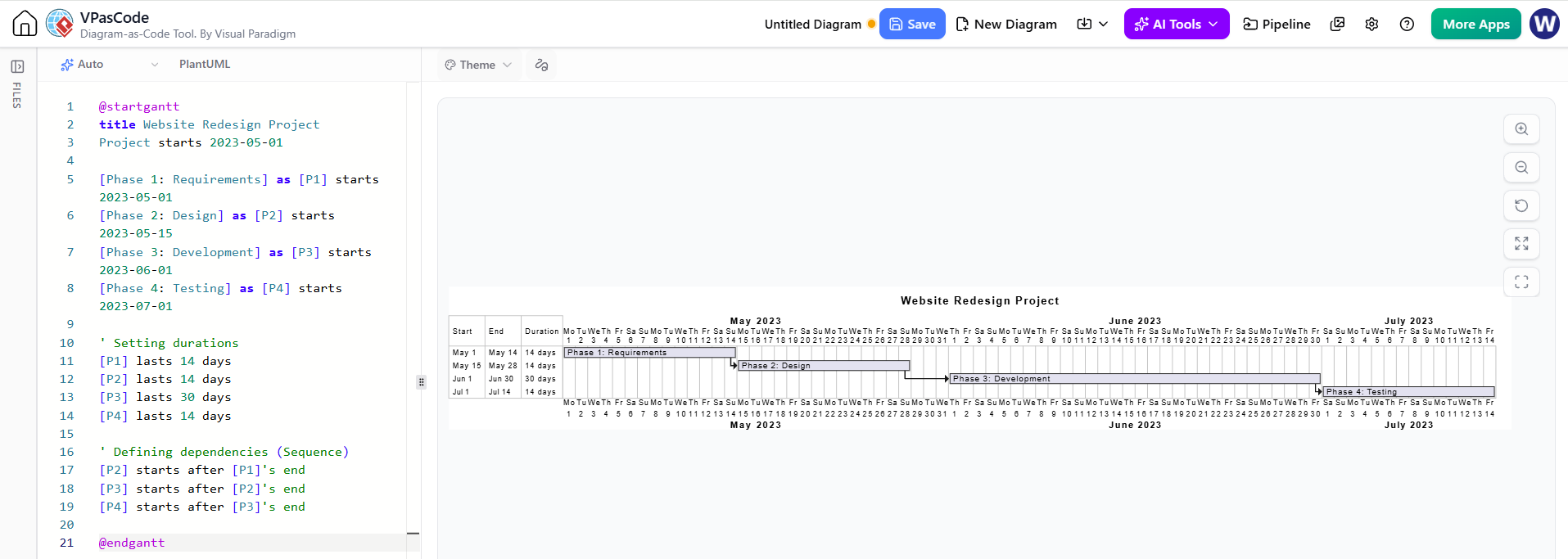
@startgantt
title Website Redesign Project
Project starts 2023-05-01

[Phase 1: Requirements] as [P1] starts 2023-05-01
[Phase 2: Design] as [P2] starts 2023-05-15
[Phase 3: Development] as [P3] starts 2023-06-01
[Phase 4: Testing] as [P4] starts 2023-07-01

' Setting durations
[P1] lasts 14 days
[P2] lasts 14 days
[P3] lasts 30 days
[P4] lasts 14 days

' Defining dependencies (Sequence)
[P2] starts after [P1]'s end
[P3] starts after [P2]'s end
[P4] starts after [P3]'s end

@endganttIn the Gantt Chat environment, the VPasCode tool handles the translation between this logic and the visual rendering, allowing the user to simply chat rather than write code manually.
Tooling: The Visual Paradigm Ecosystem
Visual Paradigm offers a suite of tools that support this AI-driven workflow. The ecosystem is designed to bridge the gap between abstract planning and concrete execution.
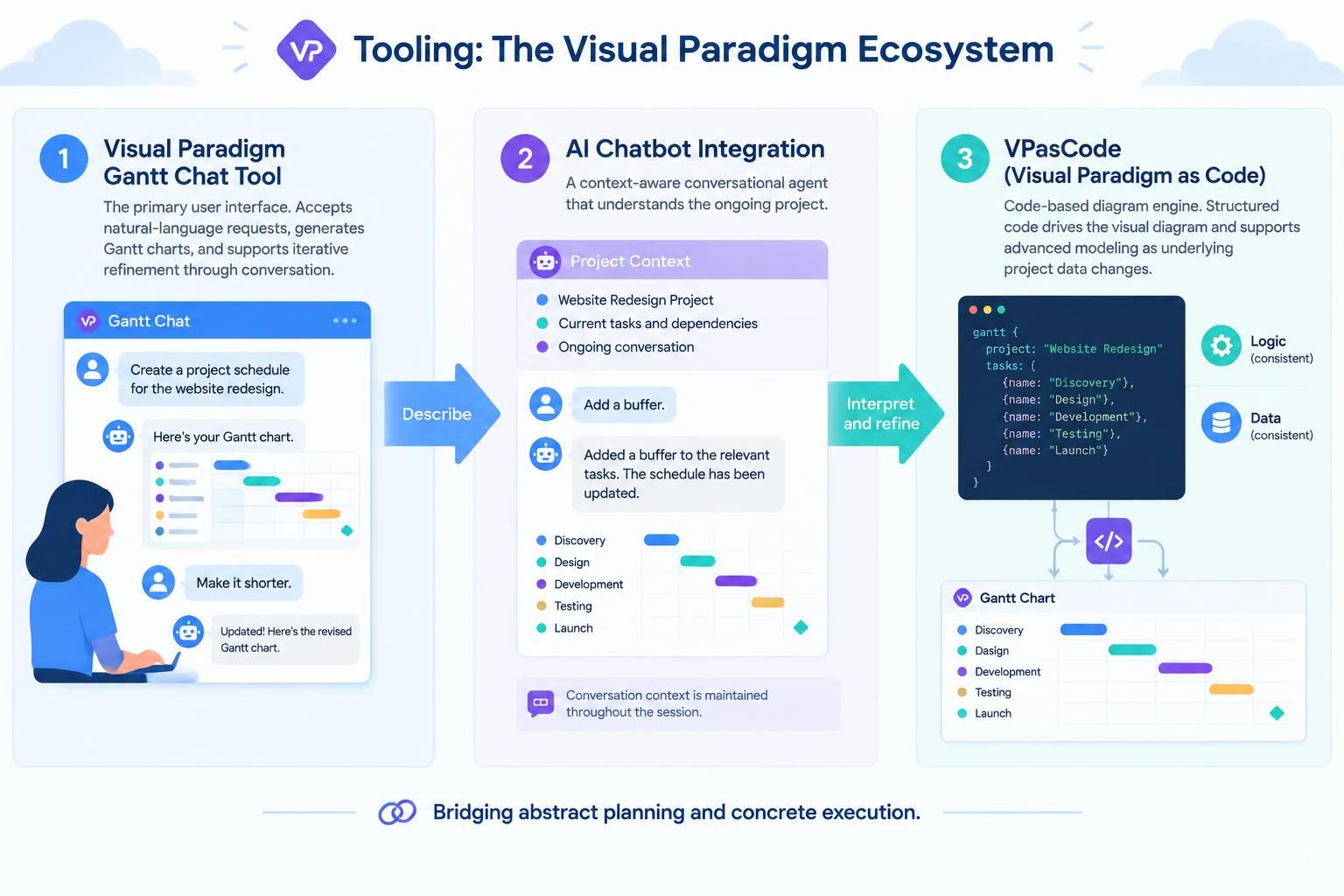
1. Visual Paradigm Gantt Chat Tool
This is the primary interface. It acts as the “brain” of the operation. It listens to the user’s natural language input and executes the appropriate commands to generate the chart. It handles the “conversation” aspect, allowing for iterative refinement (Step 4 in the workflow).
2. AI Chatbot Integration
The chatbot is not just a text generator; it is a stateful agent. It understands the context of the project being built. When you ask to “add a buffer,” it knows which tasks to adjust without needing you to specify the exact dates again.
3. VPasCode Tool
VPasCode (Visual Paradigm as Code) is the engine that powers the generation. It ensures that the visual diagram is mathematically and logically sound. It allows for advanced modeling where the code drives the visuals, ensuring that the diagram remains accurate even when the underlying data changes.
Why Visual Paradigm UML? Benefits and Standouts
While there are many AI tools on the market, Visual Paradigm stands out by focusing on the completeness of the model. Most AI tools generate a static image. Visual Paradigm generates a live, editable project model.
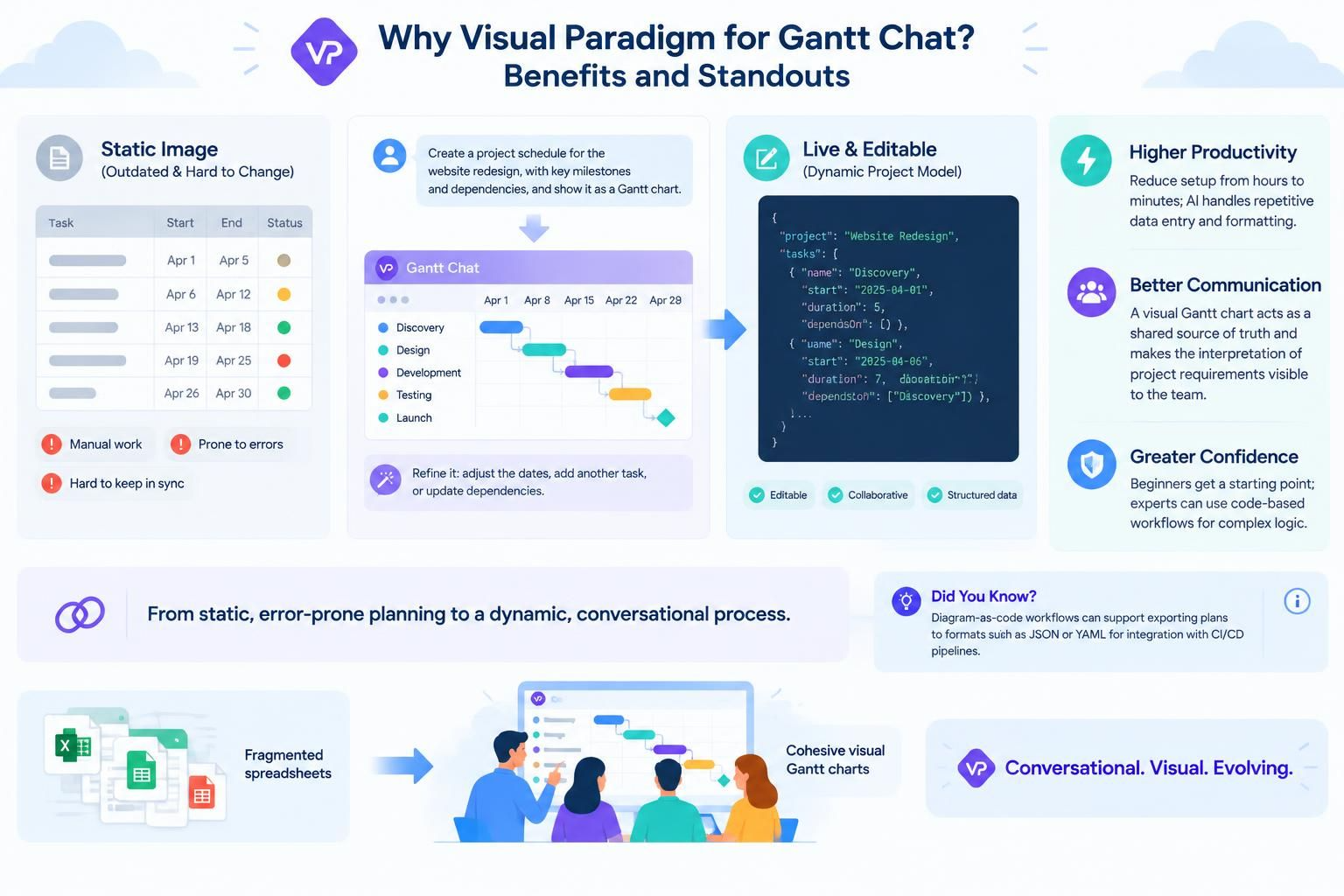 The standout benefits include:
- Higher Productivity: By reducing the setup time from hours to minutes. The AI handles the repetitive data entry and formatting.
- Better Communication: The visual Gantt chart serves as a single source of truth. Because it is generated from a clear prompt, the team can immediately see what was understood from the initial requirements.
- Greater Confidence: For beginners, the AI provides a starting point. For experts, the code-based approach allows for complex logic that standard GUIs might struggle to visualize quickly.
The system transforms project planning from a static, error-prone activity into a dynamic, conversational process.
Conclusion
The future of project management is conversational. By leveraging the power of AI and the robust modeling capabilities of Visual Paradigm, teams can move from fragmented spreadsheets to cohesive, visual Gantt charts in seconds. Whether you are managing a simple website redesign or a complex enterprise deployment, the architecture of Gantt Chat ensures that your plan evolves as fast as your ideas.