
1. Introduction
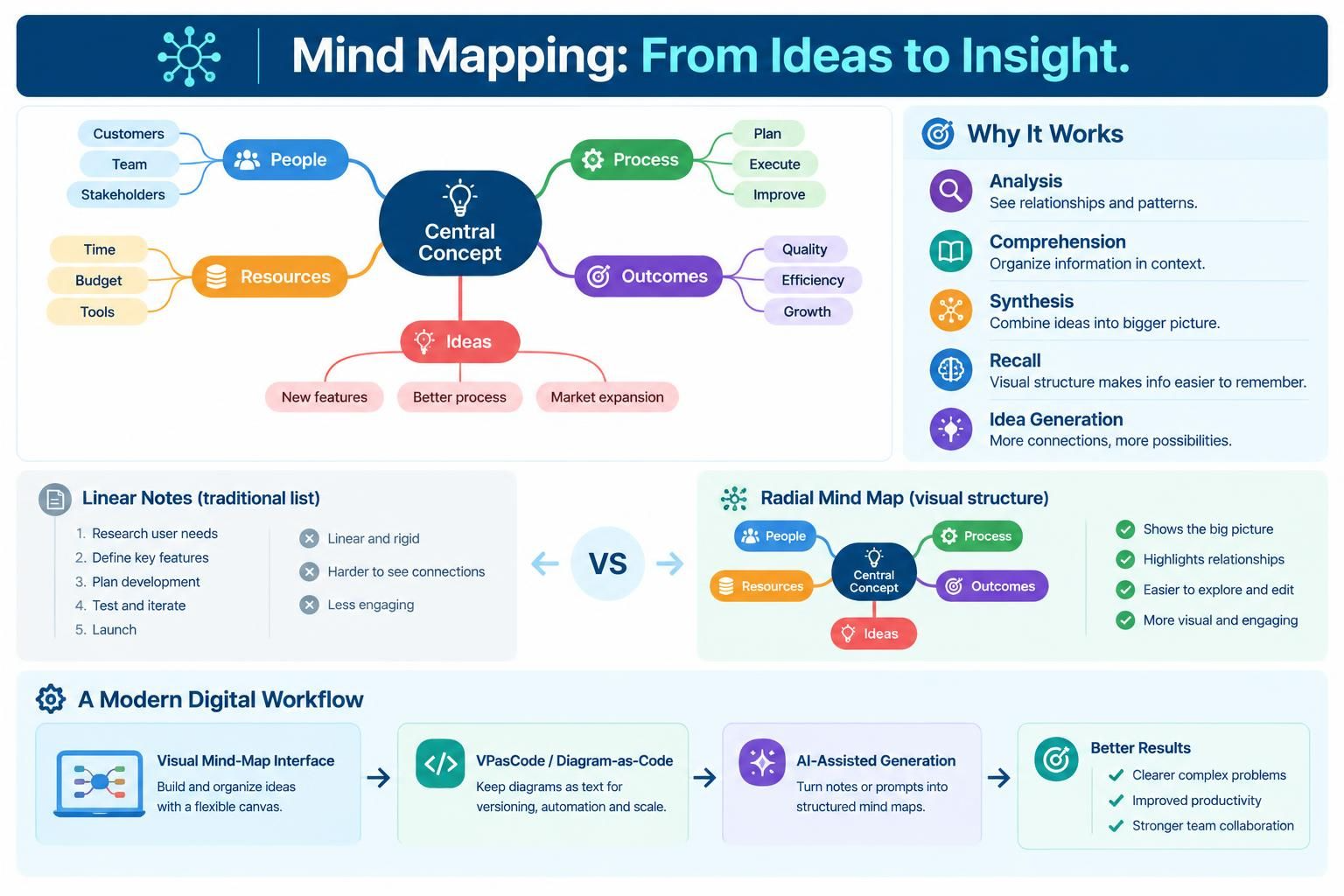
Mind mapping is a visual thinking tool that helps structure information, helping you to better analyze, comprehend, synthesize, recall, and generate new ideas. Unlike traditional linear notes, mind maps mimic the way our brains naturally work—radiating from a central concept and branching out into related subtopics.
In the modern digital age, mind mapping has evolved beyond pen and paper. With tools like Visual Paradigm, we can now combine intuitive visual interfaces with the power of Diagram-as-Code (using VPasCode) and AI-assisted generation. This guide explores how to leverage these technologies to enhance productivity, clarify complex problems, and collaborate more effectively.
2. Key Concepts and Examples
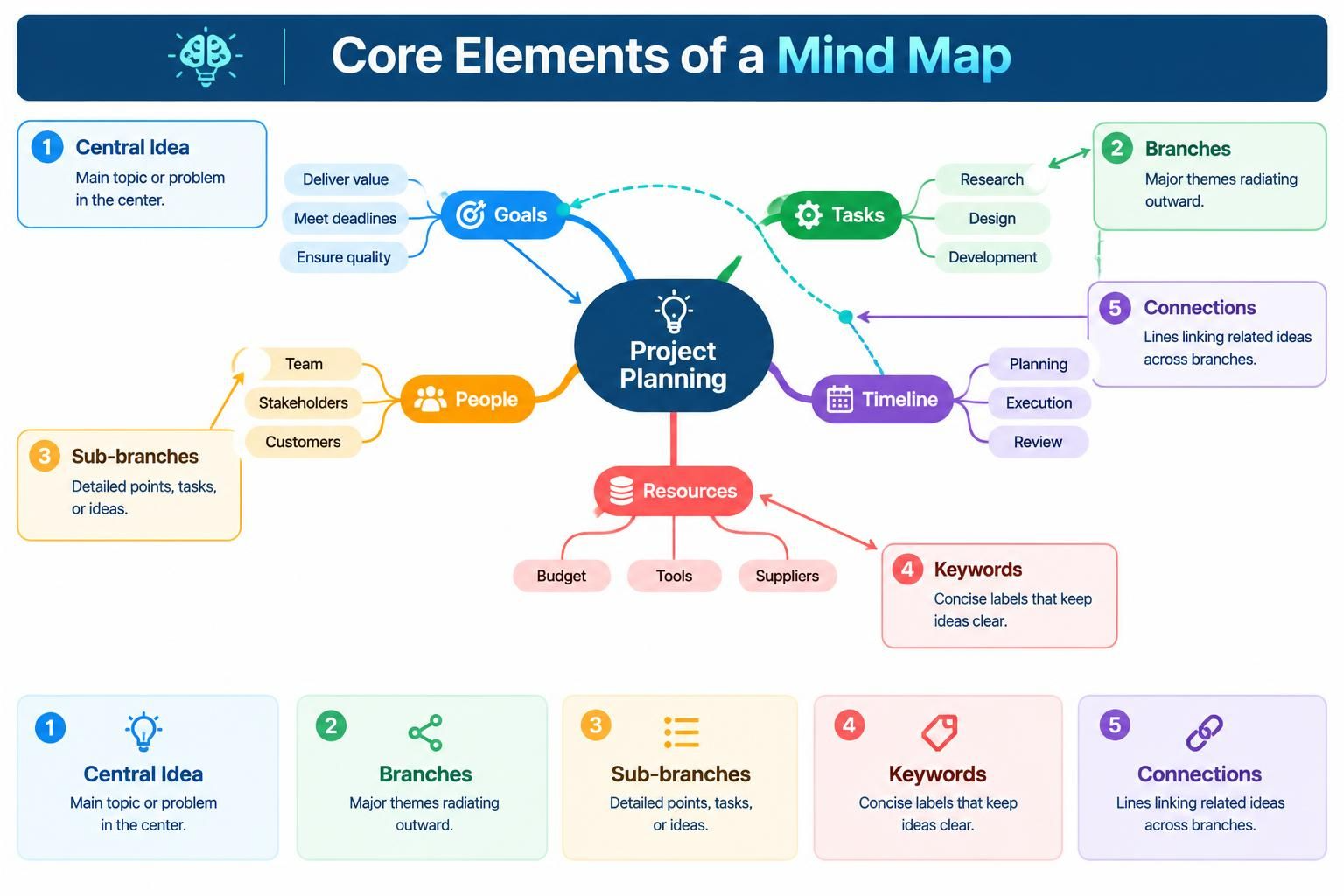
Core Elements of a Mind Map
-
Central Idea: The main topic or problem statement placed in the center.
-
Branches: Major categories or themes radiating from the center.
-
Sub-branches: Detailed points, tasks, or ideas stemming from major branches.
-
Keywords: Concise labels on each branch to maintain clarity.
-
Connections: Lines linking related ideas across different branches.
Example: Planning a Product Launch
-
Central Idea: “Launch AI Feature X”
-
Branch 1: Marketing
-
Sub-branch: Social Media Campaign
-
Sub-branch: Email Newsletter
-
-
Branch 2: Engineering
-
Sub-branch: Backend API Integration
-
Sub-branch: Frontend UI Updates
-
-
Branch 3: Sales
-
Sub-branch: Training Materials
-
Sub-branch: Pricing Strategy
-
3. Usage Cases
Mind mapping is versatile and applicable across various domains:
-
Project Management: Break down large projects into manageable tasks, assign responsibilities, and track dependencies.
-
Brainstorming & Ideation: Generate creative solutions for product features, marketing slogans, or business strategies.
-
Learning & Study: Summarize complex topics, prepare for exams, or organize research notes.
-
Meeting Agendas: Structure discussions, ensure all topics are covered, and capture action items in real-time.
-
Problem Solving: Identify root causes of issues by mapping out symptoms, causes, and potential solutions.
4. Tooling: Visual Paradigm Mind Map + Diagram as Code (VPasCode)
Why Combine Visual Tools with Code?
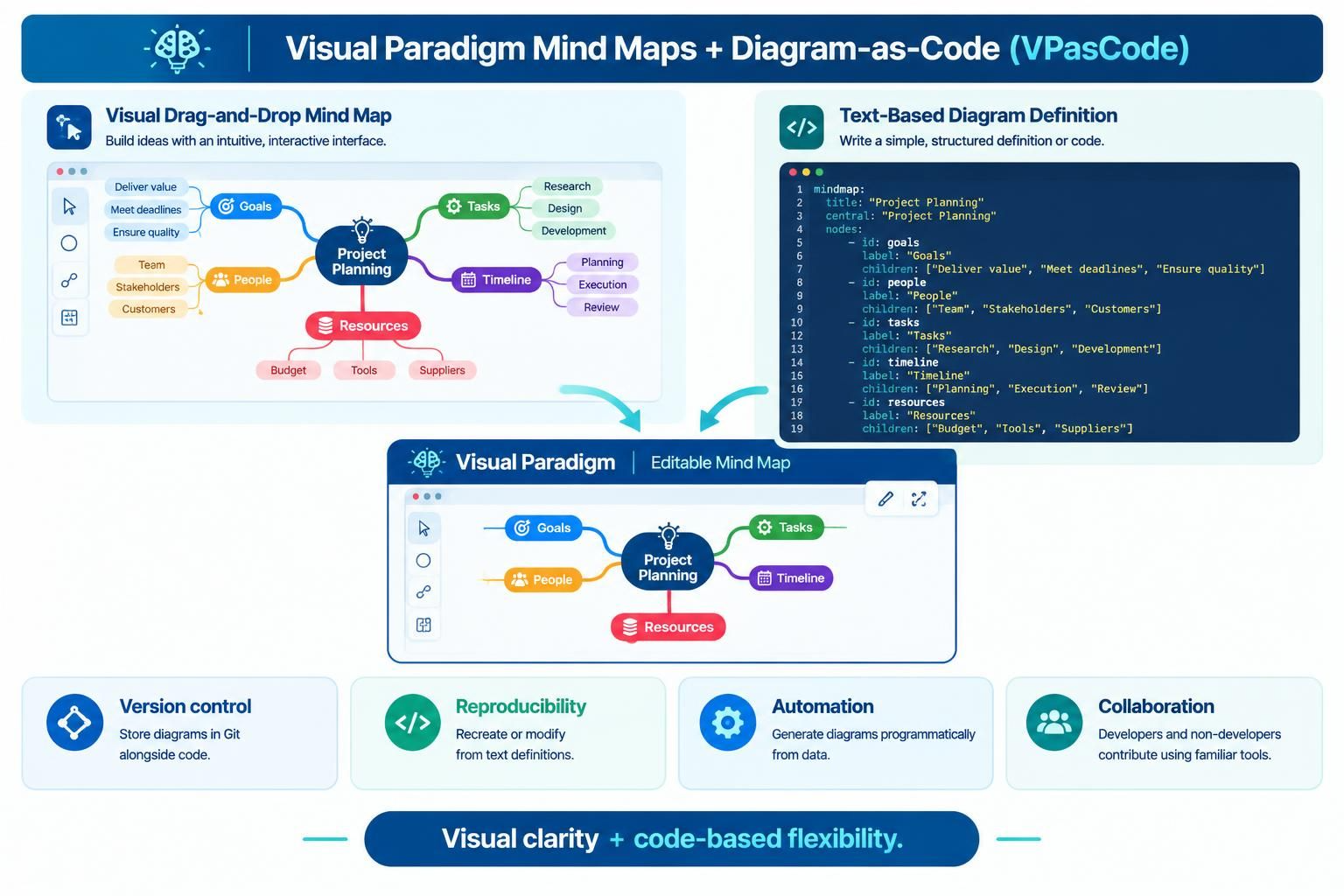
While drag-and-drop interfaces are intuitive, Diagram-as-Code offers significant advantages:
-
Version Control: Store diagrams in Git alongside your codebase.
-
Reproducibility: Easily recreate or modify diagrams using text-based definitions.
-
Automation: Generate diagrams programmatically from data sources.
-
Collaboration: Developers and non-developers can contribute using familiar tools.
Visual Paradigm’s Approach
Visual Paradigm supports VPasCode, allowing you to define mind maps and other diagrams using code syntax. It integrates seamlessly with PlantUML and Mermaid, two popular open-source diagramming languages. Additionally, its AI-Assisted Features can automatically generate mind map structures from text prompts or documents.
Diagram Examples
Example 1: Mermaid Code for a Simple Mind Map
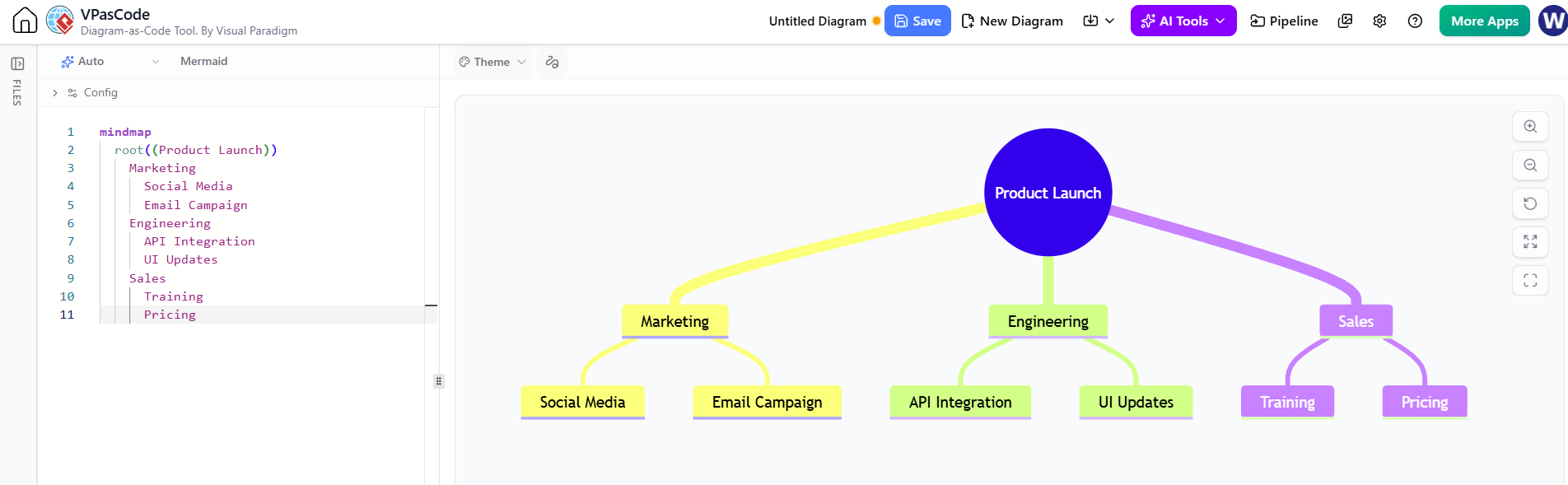
mindmap
  root((Product Launch))
    Marketing
      Social Media
      Email Campaign
    Engineering
      API Integration
      UI Updates
    Sales
      Training
      Pricing
Example 2: PlantUML Code for a Hierarchical Structure
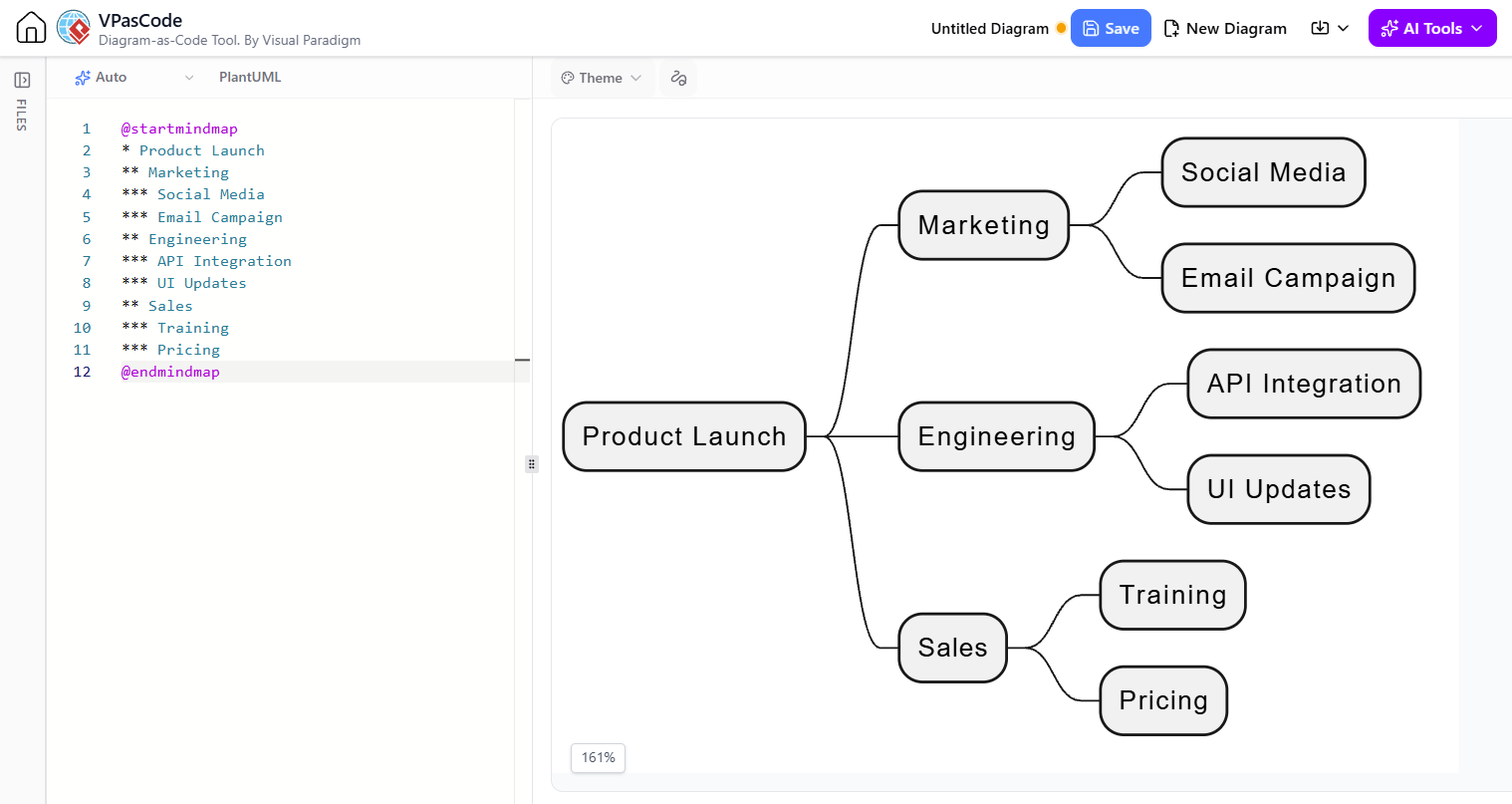
@startmindmap
* Product Launch
** Marketing
*** Social Media
*** Email Campaign
** Engineering
*** API Integration
*** UI Updates
** Sales
*** Training
*** Pricing
@endmindmap
Example 3: AI-Assisted Generation
Using Visual Paradigm’s AI feature, you can input a prompt like:
“Create a mind map for organizing a team retreat including logistics, activities, and budget.”
The AI will generate a structured mind map, which you can then refine visually or via code.
5. Who Will Benefit?
-
Product Managers: Like Eddie Man, who need to roadmap features, conduct user research, and align stakeholders.
-
Developers & DevOps Engineers: For planning infrastructure, debugging workflows, and documenting system architecture.
-
Students & Researchers: To organize thesis topics, literature reviews, and study materials.
-
Business Analysts: For mapping out business processes, requirements, and stakeholder needs.
-
Creative Professionals: Writers, designers, and marketers for brainstorming and content planning.
6. Standout Features of Visual Paradigm + VPasCode
-
Hybrid Workflow: Switch seamlessly between visual editing and code-based definitions.
-
AI Integration: Automatically generate initial drafts from natural language descriptions.
-
Multi-Format Support: Export to PDF, PNG, SVG, or integrate with Confluence, Jira, and GitHub.
-
Collaboration: Real-time co-editing and comment threads for team feedback.
-
Template Library: Pre-built templates for common use cases like SWOT analysis, project planning, and meeting agendas.
7. Tips and Tricks
-
Start Simple: Begin with a central idea and add branches gradually. Avoid overcrowding the map initially.
-
Use Keywords: Keep labels short and impactful. Use single words or short phrases instead of sentences.
-
Color Code: Assign colors to different branches to improve visual distinction and memory retention.
-
Leverage AI for Drafts: Use AI to generate a first draft, then refine it manually to ensure accuracy and relevance.
-
Version Your Code: If using VPasCode, commit changes to Git to track evolution and collaborate with teammates.
-
Link to External Resources: Add hyperlinks to branches for detailed documents, tickets, or references.
-
Iterate Regularly: Update your mind map as new information emerges or priorities shift.
8. Conclusion
Mind mapping is a powerful technique for organizing thoughts, solving problems, and driving collaboration. By combining the visual intuition of tools like Visual Paradigm with the precision and automation of Diagram-as-Code (VPasCode, PlantUML, Mermaid) and AI assistance, you can create dynamic, maintainable, and insightful diagrams.
Whether you’re planning a product launch, studying for an exam, or brainstorming your next big idea, mastering these tools will enhance your clarity, productivity, and creativity. Start small, experiment with code and AI, and watch your ideas take shape in ways never before possible.