
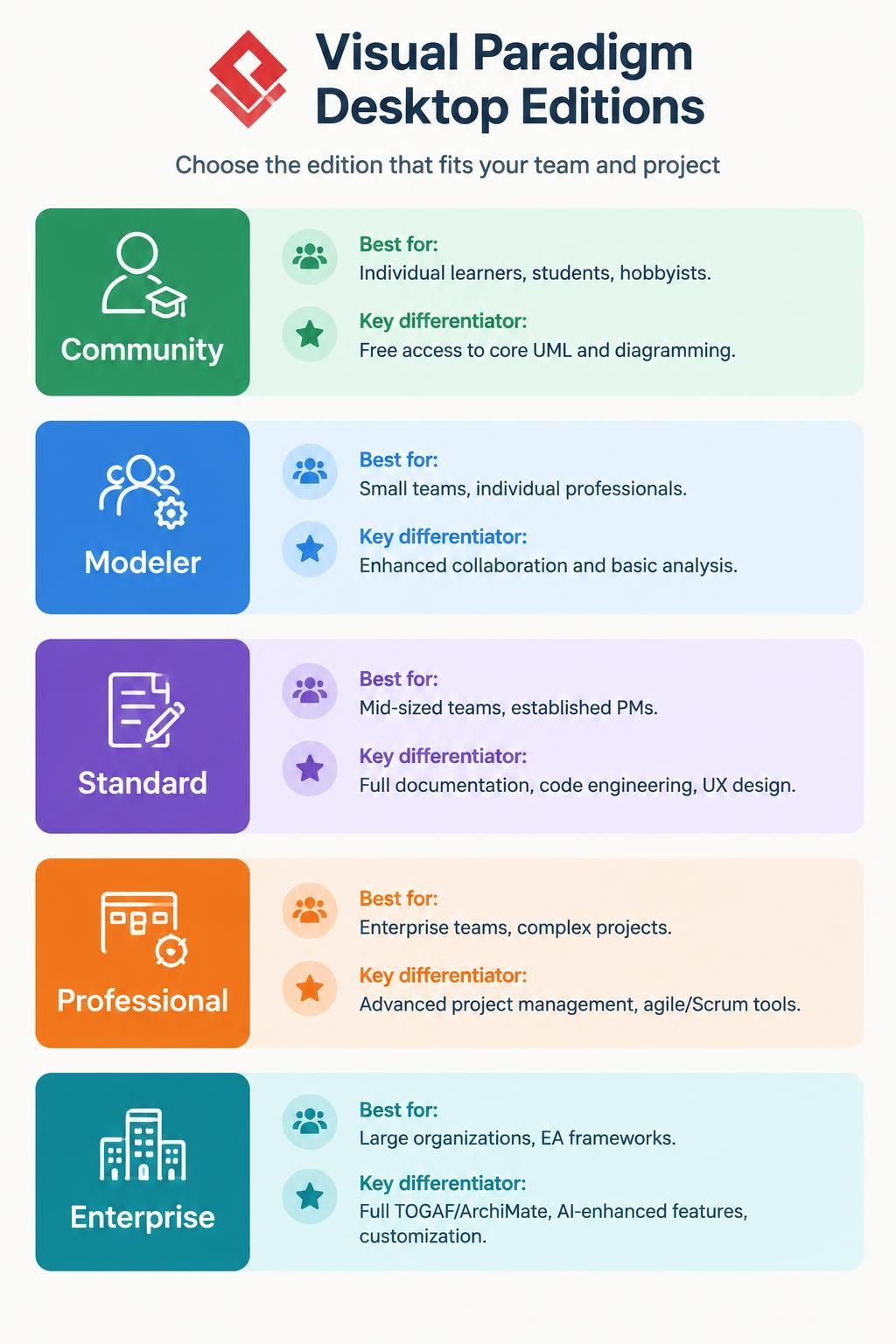
Selecting the appropriate software environment is a critical architectural decision in the early stages of any software development lifecycle (SDLC). Visual Paradigm (VP) offers a modular approach to system modeling, providing five distinct desktop editions tailored to varying levels of project complexity, team size, and organizational maturity. This tutorial explores the technical capabilities of each edition, guiding you through the decision-making process to ensure your modeling infrastructure supports your specific development goals.
The Architecture of Visual Paradigm Editions
Visual Paradigm’s product line is designed to scale from individual learning environments to massive Enterprise Architecture (EA) frameworks. Understanding the specific differentiator of each tier is essential for aligning your tooling with your team’s workflow.
1. Community Edition: The Foundation
The Community Edition serves as the entry point for individual learners, students, and hobbyists. It is designed to provide unrestricted access to the core UML (Unified Modeling Language) and diagramming capabilities without financial barriers. This edition is ideal for mastering the syntax and semantics of standard diagrams such as Class, Sequence, and Use Case diagrams.
- Best For: Individual learners, students, and hobbyists.
- Key Differentiator: Free access to core UML and diagramming features.
2. Modeler Edition: Collaboration and Analysis
When moving from solo study to small team collaboration, the Modeler Edition introduces essential features for professional workflows. It is tailored for small teams and individual professionals who require enhanced collaboration tools and basic analysis capabilities to maintain consistency across models.
- Best For: Small teams and individual professionals.
- Key Differentiator: Enhanced collaboration and basic analysis features.
3. Standard Edition: Full Lifecycle Support
For mid-sized teams and established Project Managers, the Standard Edition bridges the gap between design and implementation. This edition is the first tier to offer full documentation generation, code engineering (forward and reverse engineering), and UX design tools, allowing for a more integrated approach to system development.
- Best For: Mid-sized teams and established PMs.
- Key Differentiator: Full documentation, code engineering, and UX design.
4. Professional Edition: Agile and Project Management
As projects scale in complexity, the Professional Edition is designed for enterprise teams. It focuses heavily on the management of the development process itself, offering advanced project management capabilities and specific support for Agile and Scrum methodologies. This edition is crucial for teams managing complex, iterative development cycles.
- Best For: Enterprise teams and complex projects.
- Key Differentiator: Advanced project management and Agile/Scrum tools.
5. Enterprise Edition: Global Standards and AI
The Enterprise Edition is the pinnacle of the suite, built for large organizations requiring robust Enterprise Architecture (EA) frameworks. It supports industry standards like TOGAF and ArchiMate and includes AI-enhanced features to assist in complex modeling tasks. It also offers deep customization options for large-scale deployments.
- Best For: Large organizations and EA frameworks.
- Key Differentiator: Full TOGAF/ArchiMate support, AI-enhanced features, and customization.
Strategic Selection for System Architecture
When architecting your software environment, consider the “Model-Code-Project” triangle. If your primary focus is purely on the Model (diagramming and design), the Community or Modeler editions may suffice. If your workflow heavily integrates Code (engineering) and Project management, the Standard or Professional editions become necessary to automate the synchronization between your visual models and your source code.