
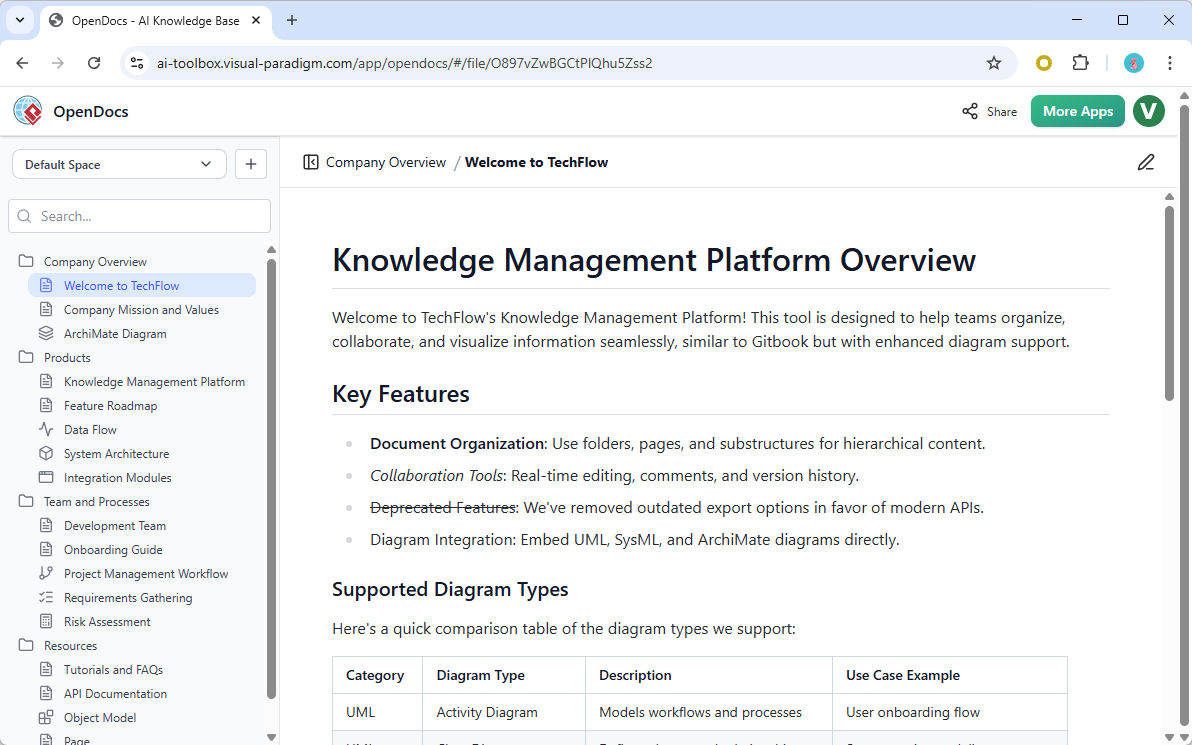
Visual Paradigm has built one of the most comprehensive AI-powered visual modeling ecosystems available today. At its heart is a seamless blend of instant diagram creation, intelligent refinement, and real-world collaboration tools. The ecosystem spans four tightly integrated platforms: VP Desktop for professional modeling, the AI Visual Modeling Chatbot for natural-language conversations, web-based step-by-step guided tools, and OpenDocs — the innovative AI-enhanced knowledge management platform.
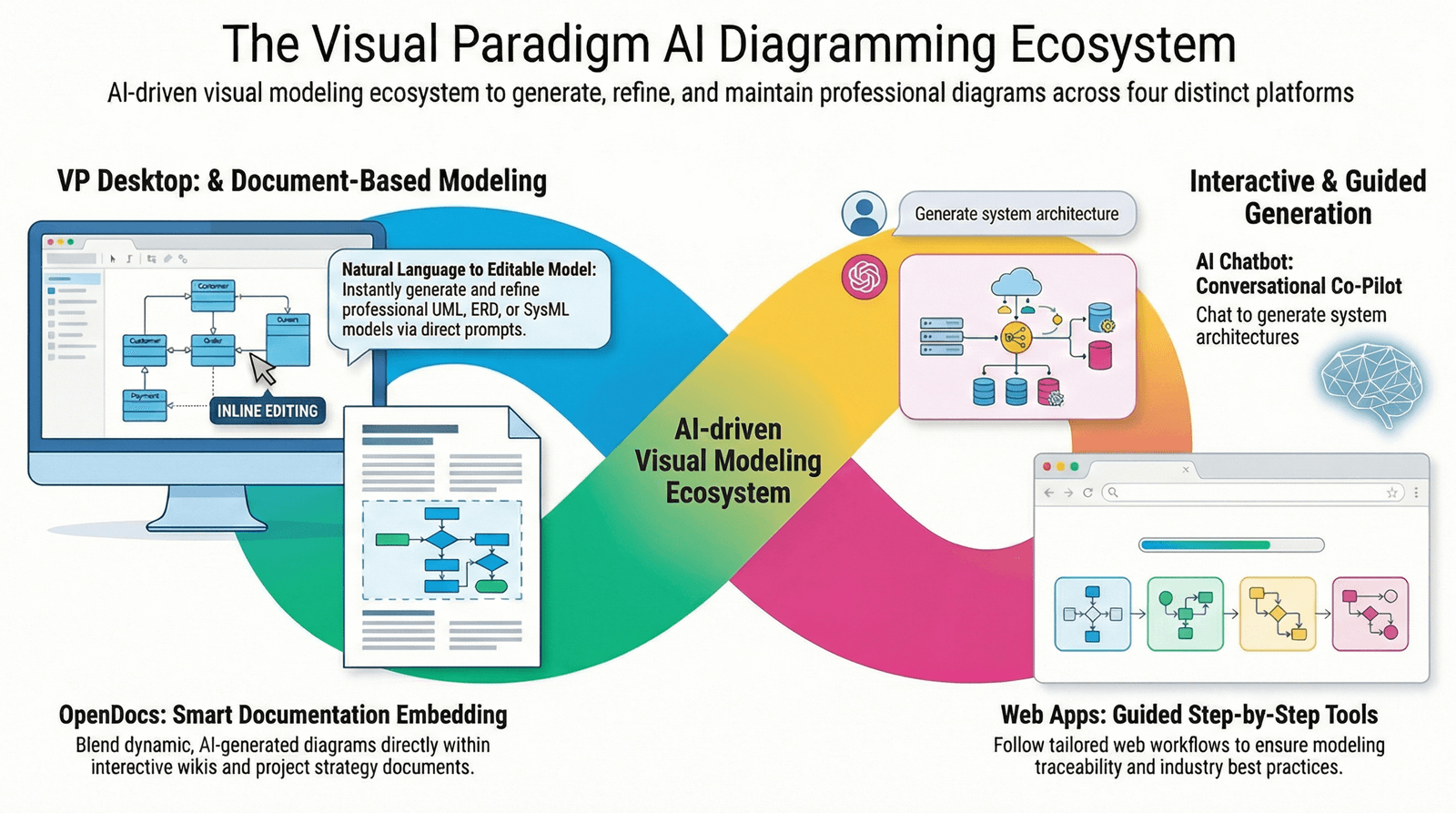
OpenDocs stands out as the bridge between documentation and dynamic visuals. It is explicitly designed to deliver AI OpenDocs support — meaning full AI-assisted diagramming embedded directly inside living documents. Below is a detailed breakdown of how this works, what it supports, and its core purposes within the broader Visual Paradigm AI ecosystem.
What Is AI OpenDocs Support?
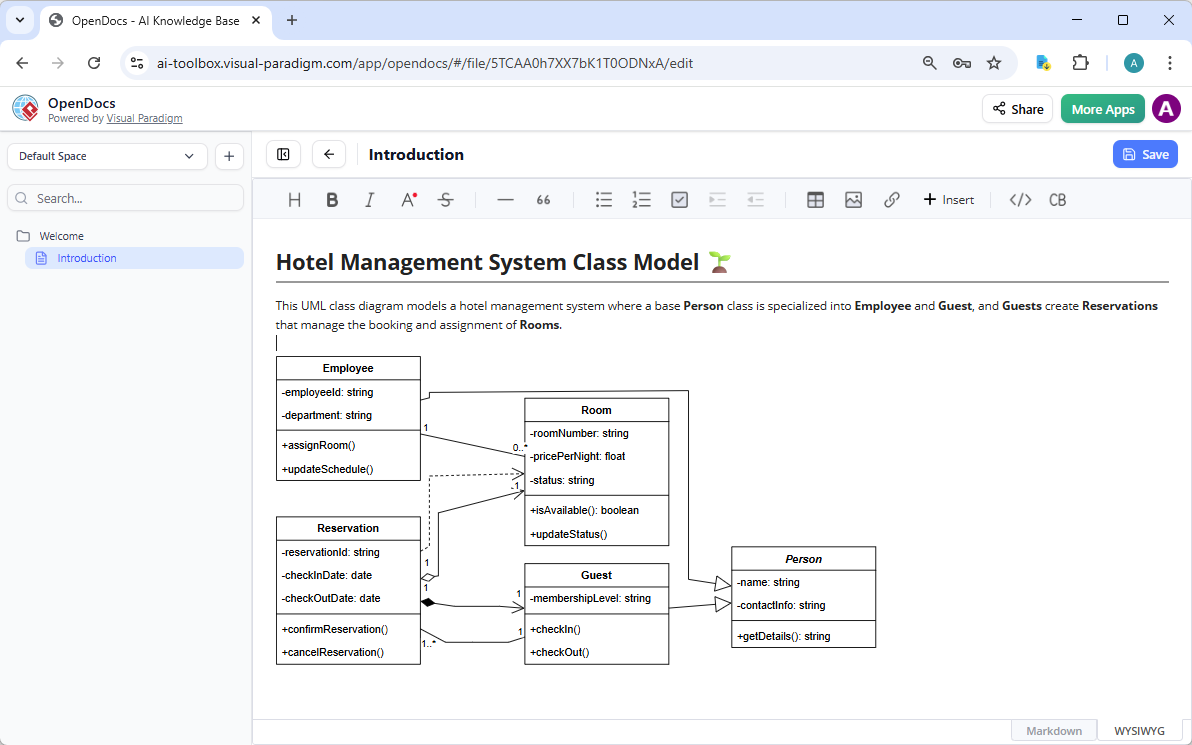
OpenDocs functions like a supercharged Notion or GitBook, but with professional diagramming baked in. Instead of static images or separate tools, you create, edit, and refine diagrams inline inside your documents. The AI does the heavy lifting:
-
You type a simple description (e.g., “Create a C4 System Context Diagram for our online banking app”).
-
The AI instantly generates a complete, professional diagram.
-
The diagram becomes a living object — fully editable, updatable, and synchronized with the surrounding text.
This is what Visual Paradigm calls “live, AI-assisted diagramming.” Diagrams are never flat screenshots; they remain connected to the model, traceable, and refinable without leaving the document.
Supported Diagrams in OpenDocs (AI-Powered)
OpenDocs provides strong AI support for a focused yet practical set of diagrams, ideal for casual-to-professional use. Key examples include:
-
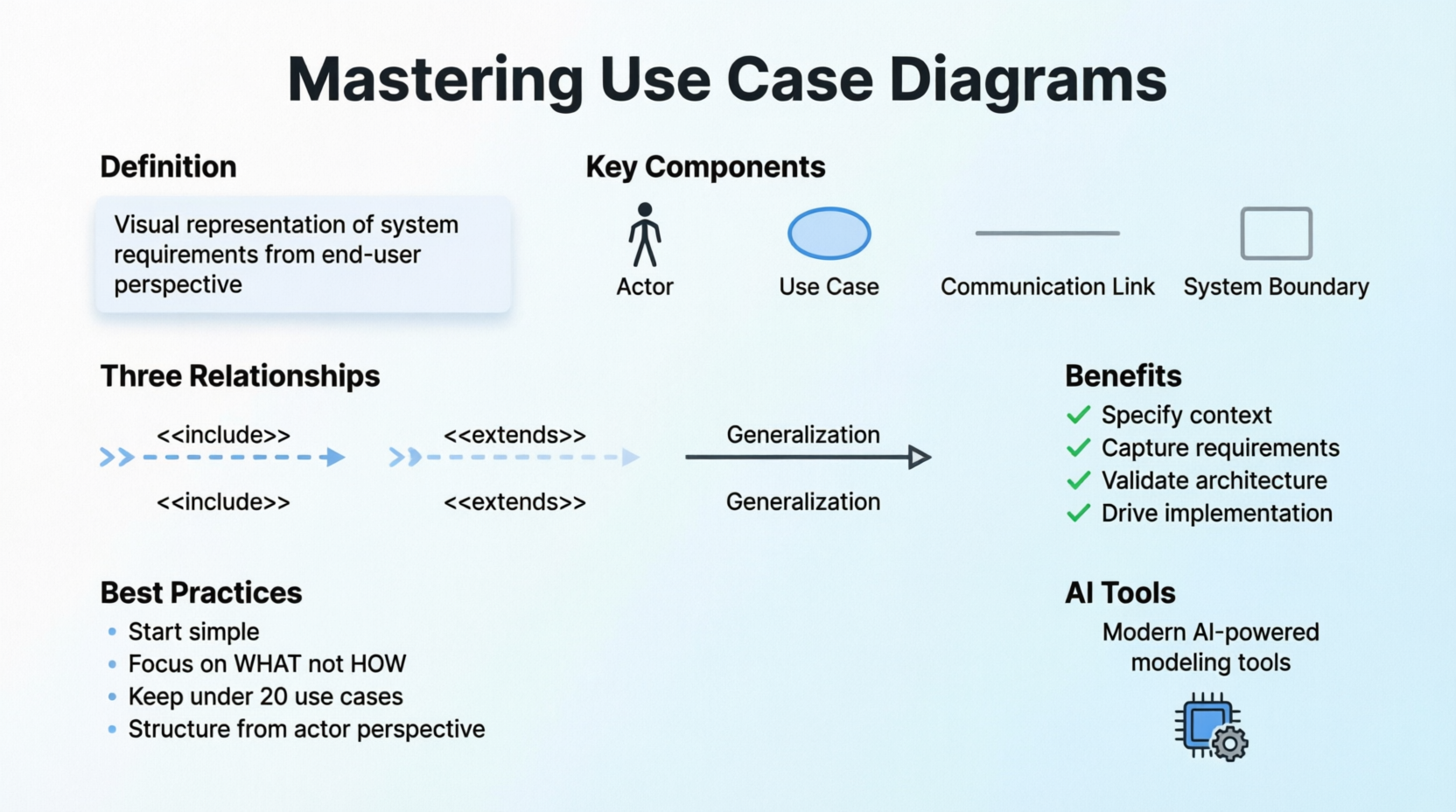
Use Case Diagrams
-
SysML Requirement, Internal Block, and Block Definition Diagrams
-
C4 diagrams (System Context, Container, Component, Deployment)
-
Strategic analysis tools: SWOT, PEST, PESTLE, SOAR, TOWS, McKinsey 7S, Ansoff Matrix, Blue Ocean Strategy, Marketing Mix (4Cs), Eisenhower Matrix
Not every advanced UML or SysML diagram is available in OpenDocs (for example, Class or Sequence diagrams are marked as unsupported in casual mode), but the ones it covers are precisely the types teams use daily in documentation, wikis, and reports. For deeper modeling, diagrams created in OpenDocs can be opened and refined in the full VP Desktop.
Recent updates have rapidly expanded this list (State Diagrams, Data Flow Diagrams, Deployment Diagrams, Component Diagrams, ERDs, Profile Diagrams, and more), showing Visual Paradigm’s commitment to growing AI OpenDocs support continuously.
How OpenDocs Fits into the VP AI Ecosystem
OpenDocs is not a standalone tool — it is one of the four equal pillars of the Visual Paradigm AI ecosystem:
-
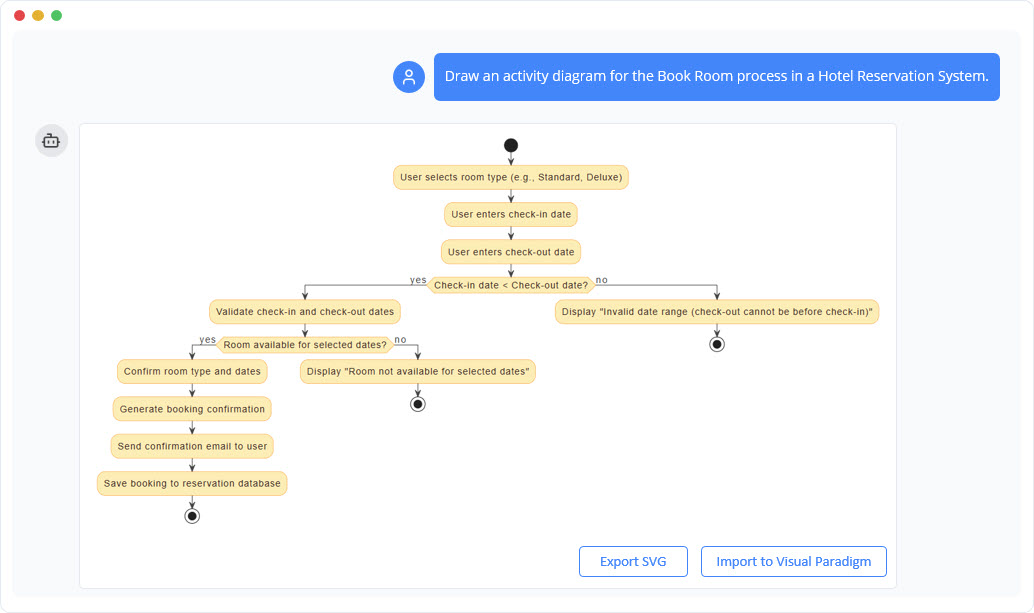
AI Visual Modeling Chatbot → Generates and explains models via conversation.
-
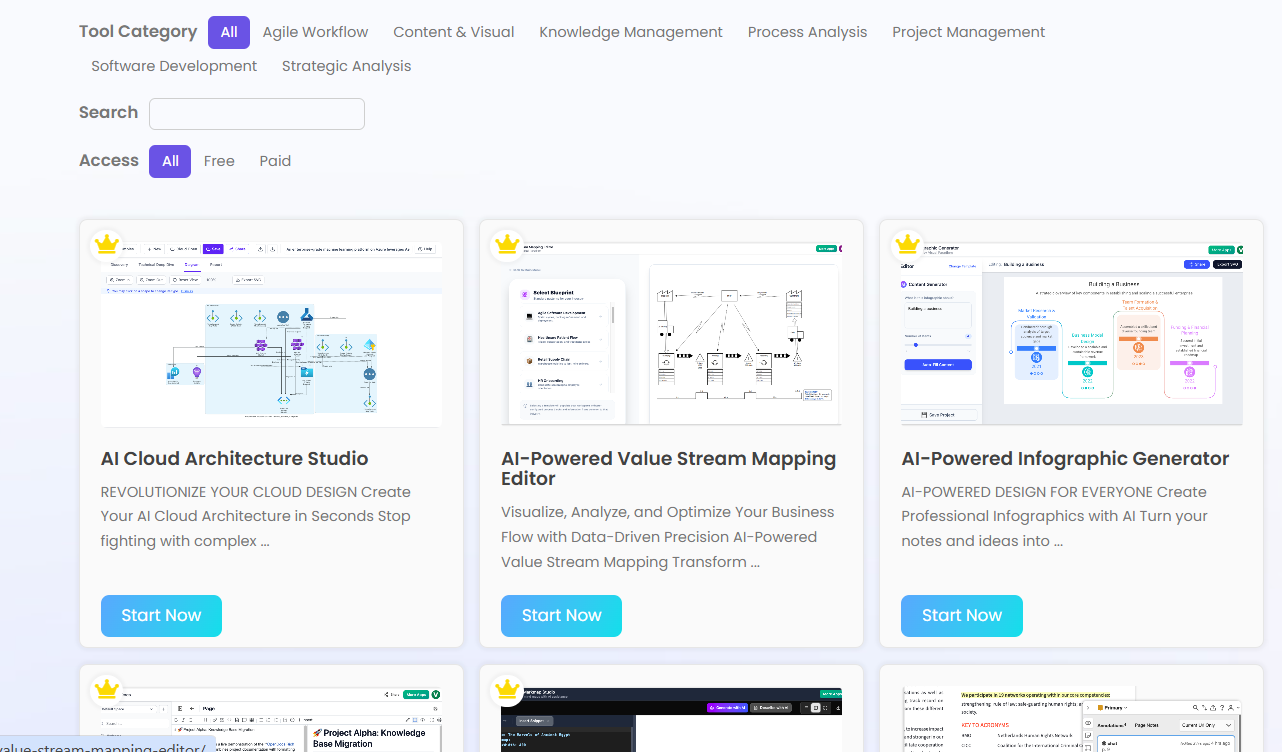
Web Apps (Guided Tools) → Step-by-step AI studios (e.g., Cloud Architecture Studio, Use Case Modeling Studio).
-
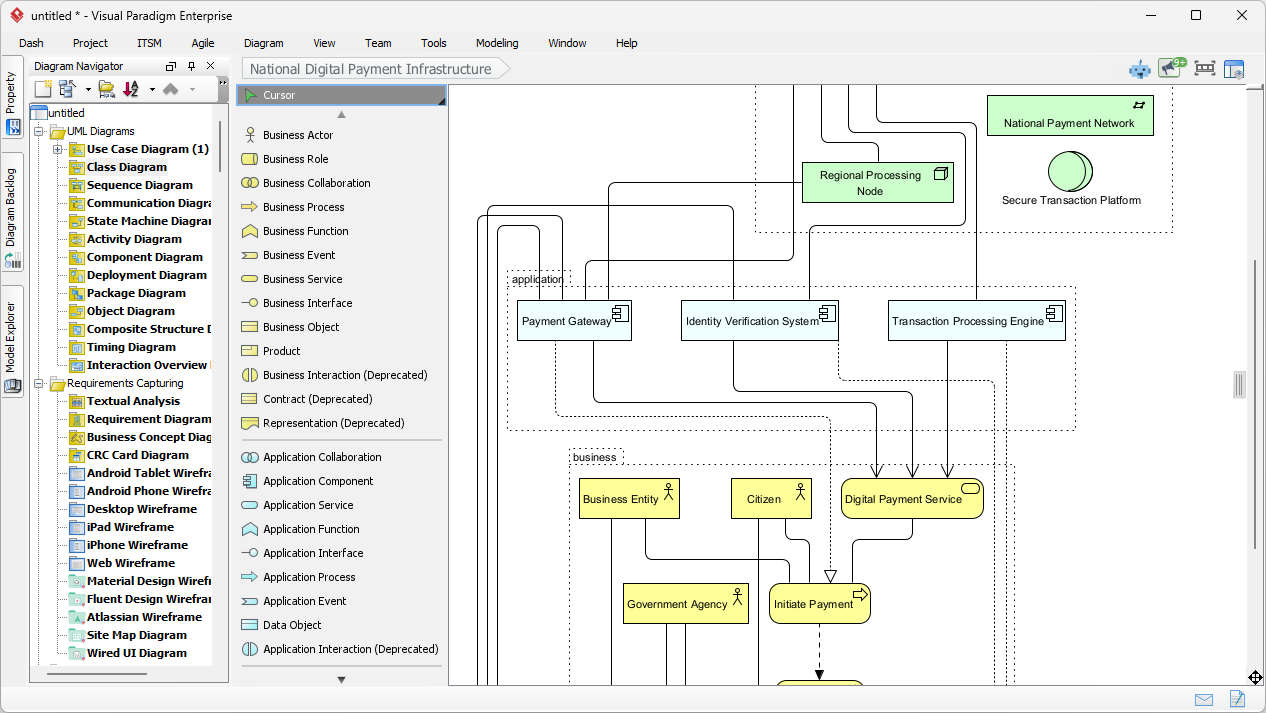
VP Desktop → Full professional editing and offline power.
-
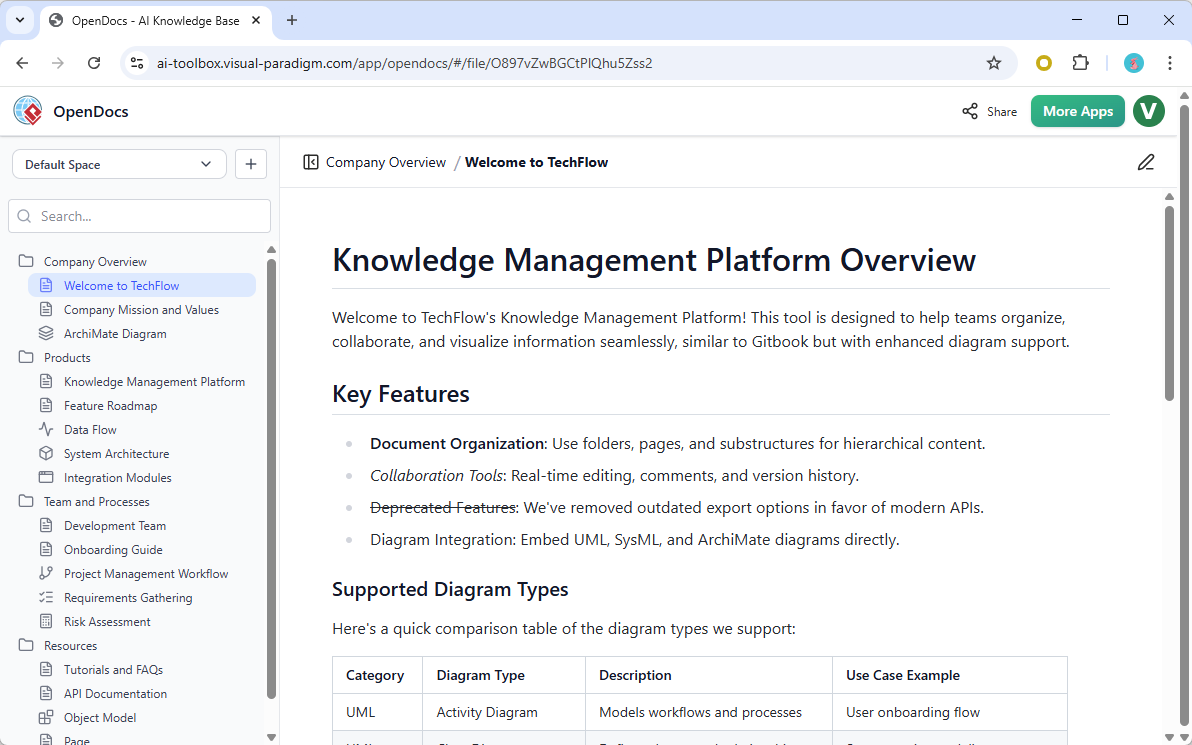
OpenDocs → The documentation and collaboration layer where AI diagrams become living knowledge.
All four platforms share the same AI engine and model repository. A diagram started in the Chatbot or a web app can be embedded into an OpenDocs page, refined in Desktop, and shared as a single living document. This creates true traceability and interoperability — something one-shot AI diagram generators simply cannot match.
Purposes of AI OpenDocs Support
The primary purposes are clear and practical:
-
Eliminate tool switching — Write documentation and create/edit professional diagrams in the exact same place.
-
Make visuals dynamic and collaborative — Diagrams update in real time as teams edit content, keeping wikis, reports, and knowledge bases accurate.
-
Accelerate knowledge creation — AI turns plain-English descriptions into production-ready diagrams in seconds, saving hours of manual drawing.
-
Support team alignment and onboarding — Create interactive knowledge bases where new team members see both the written process and the live diagram side-by-side.
-
Bridge casual and professional modeling — Teams can start fast in OpenDocs and seamlessly escalate to full VP Desktop when needed, without losing any work.
In short, the purpose is to turn static documentation into intelligent, visual living knowledge — exactly what modern agile teams, architects, and analysts need.
Key Benefits for Users
-
Speed: From idea to diagram in seconds instead of hours.
-
Accuracy & Professionalism: AI follows industry standards; diagrams remain editable and connected.
-
Collaboration: Share one link to an entire knowledge base with live diagrams.
-
Flexibility: Works in the browser (no install required for OpenDocs), yet integrates with the full desktop suite.
-
Future-proof: Continuous updates add new diagram types with AI support every few weeks.
Conclusion: Why AI OpenDocs Matters in the VP AI Ecosystem
While other AI diagram tools focus only on one-off generation, Visual Paradigm’s approach is holistic. AI OpenDocs support is the documentation and collaboration layer that makes the entire ecosystem usable in the real world. It turns AI-generated diagrams from disposable images into permanent, living assets embedded in your team’s knowledge.
Whether you are building project wikis, architecture decision records, requirements documents, or onboarding materials, OpenDocs with full AI support lets you create richer, more accurate, and more maintainable content than ever before — all inside the most complete visual modeling ecosystem available today.
Start exploring OpenDocs directly at the Visual Paradigm AI Toolbox and experience how AI-powered diagramming and documentation finally work together.
- OpenDocs: All-in-One Knowledge Base & Diagramming Tool: Discover how to combine easy writing with professional drawing tools for organized project management.
- OpenDocs by Visual Paradigm: A powerful knowledge base and documentation hub that helps structure information effectively.
Related posts:
 Exploring Visual Paradigm AI Desktop Support: A Detailed Overview
Exploring the Visual Paradigm AI Chatbot: A Key Pillar in the VP AI Ecosystem
Visual Paradigm’s AI Ecosystem: A Deep Dive into 50+ AI Web Apps and Their Purposes
Exploring Visual Paradigm AI Desktop Support: A Detailed Overview
Exploring the Visual Paradigm AI Chatbot: A Key Pillar in the VP AI Ecosystem
Visual Paradigm’s AI Ecosystem: A Deep Dive into 50+ AI Web Apps and Their Purposes
 Mastering Use Case Diagrams: A Complete Guide to Requirements Modeling with Modern AI Tools