
Visual Paradigm has built one of the most comprehensive AI-powered visual modeling ecosystems available today. As detailed in their official guide “AI Diagram Generators – Visual Paradigm Ecosystem,” the platform doesn’t just offer a single AI diagram generator—it delivers an interconnected suite of tools spanning instant chat-based creation, guided step-by-step studios, embedded diagrams in smart documents, and full desktop modeling environments. This ecosystem supports everything from UML and SysML to cloud architecture, strategic analysis frameworks, agile workflows, and data visualizations. At its core are over 50 purpose-built AI web apps (with some sources noting 60+ and counting), all accessible via the AI App Library at ai.visual-paradigm.com. These apps accelerate real-world workflows, ensure professional outputs, maintain traceability across models, and eliminate the “blank canvas” problem for developers, architects, analysts, and teams.
The ecosystem integrates four key AI-powered platforms for flexible use:
-
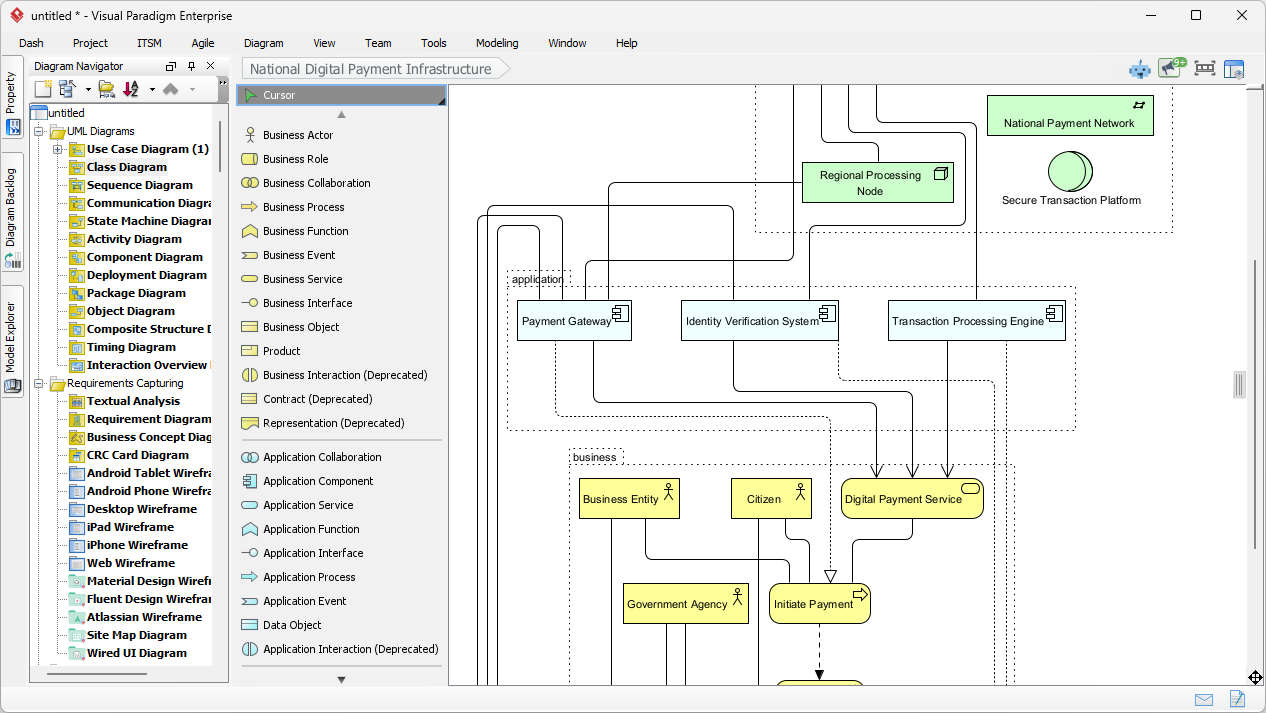
VP Desktop (Visual Model): Offline, professional-grade diagramming with AI assistance for complex, traceable models (e.g., enterprise UML/SysML).
-
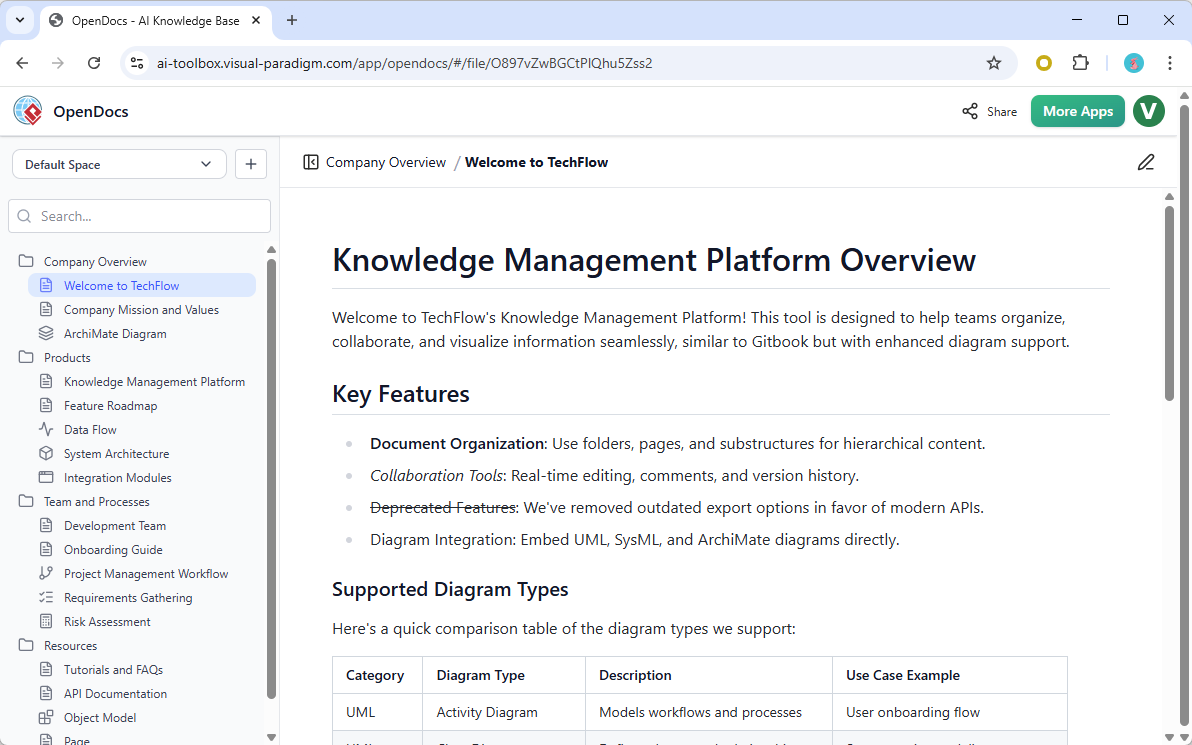
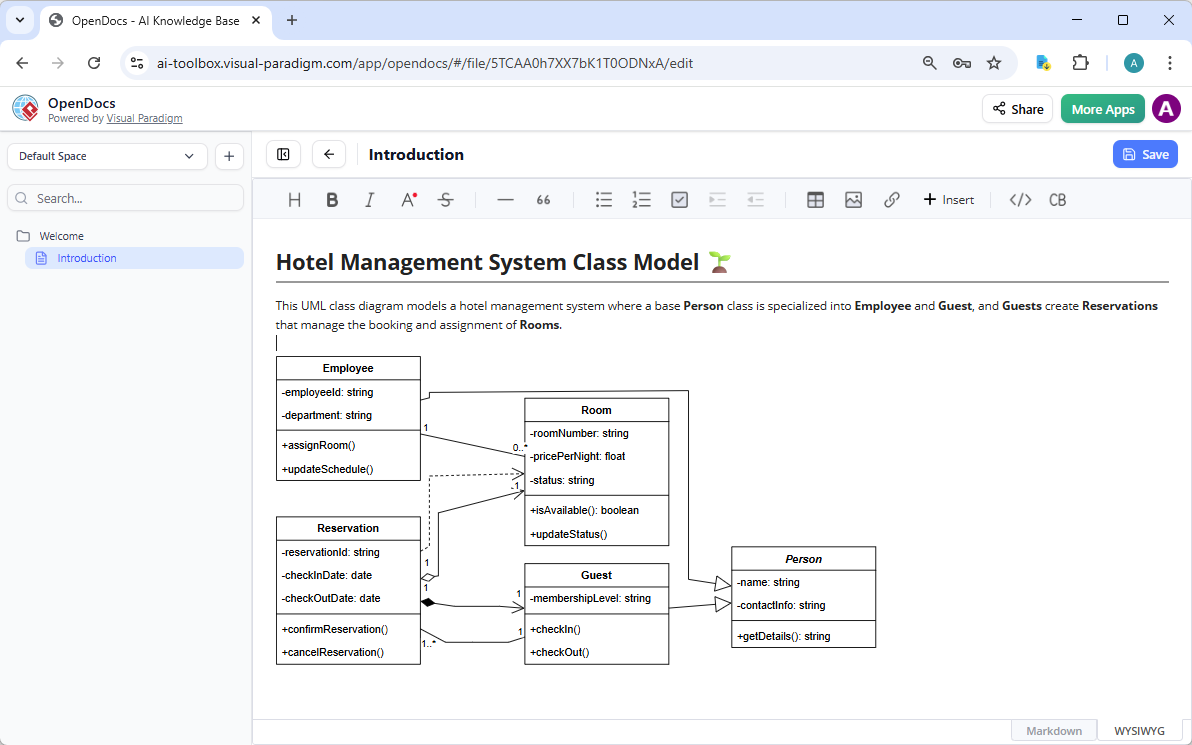
OpenDocs: Collaborative knowledge bases with live, editable embedded diagrams (like a smarter Notion with visuals).
-
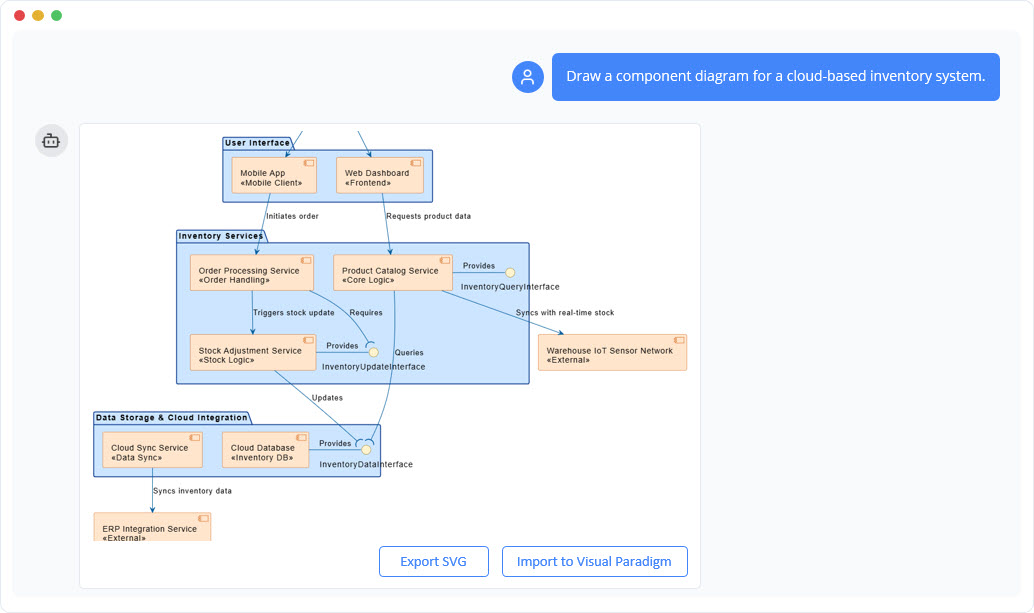
AI Visual Modeling Chatbot: Conversational co-pilot for quick generation, refinement, and analysis via natural language.
-
eb Apps / Guided Tools: Browser-based, specialized AI studios that enforce best practices, step-by-step workflows, and inter-model connections.
These platforms work together seamlessly—e.g., start in the chatbot, refine in a guided web app, embed in OpenDocs, and finalize in Desktop—ensuring diagrams stay dynamic, interconnected, and export-ready for code, reports, or collaboration.
Core Purposes of the 50+ AI Web Apps
The AI web apps are purpose-built to handle specific modeling, analysis, and visualization tasks. They transform text prompts, requirements, or data into professional diagrams while supporting refinement, analysis, reporting, and traceability. Key overarching goals include:
-
Speed & Automation: Generate complete diagrams instantly from descriptions (no manual drawing from scratch).
-
Accuracy & Best Practices: Guided studios enforce standards, traceability (e.g., use cases → activity diagrams), and error-free structures.
-
Collaboration & Integration: Embed in documents, export to PlantUML/code/Jira, or refine conversationally.
-
Broad Coverage: UML/SysML, C4, ArchiMate, cloud architectures, strategic frameworks, agile tools, infographics, and more.
-
Real-World Usability: Support agile teams, enterprise architects, business analysts, and developers with living, refinable models.
The apps fall into clear categories (drawn from Visual Paradigm’s AI hub and free tools library). Below is a detailed breakdown with examples, purposes, and supported features—compiled from the ecosystem guide and official AI listings.
1. Strategic Analysis & Business Frameworks (Infographic-style matrices and canvases)
These apps generate insights from prompts for strategy, competition, and planning.
-
AI-Powered Business Model Canvas Builder: Purpose—Create and visualize business models; auto-populates 9 blocks from descriptions.
-
SWOT-TOWS Business Analysis Tool: Purpose—Analyze strengths/weaknesses/opportunities/threats and derive strategies.
-
PESTLE Analysis Tool: Purpose—Evaluate political, economic, social, technological, legal, and environmental factors.
-
Porter’s Five Forces Analyzer: Purpose—Assess industry competition and attractiveness.
-
Ansoff Matrix Strategy Builder, BCG Matrix Analysis Tool, Blue Ocean Strategy Tool: Purpose—Map growth strategies, portfolio prioritization, and market creation.
-
Balanced Scorecard Framework Builder, Hoshin Kanri Tool, OKRs Framework Tool: Purpose—Align goals, execution, and performance metrics.
-
Value Chain Analysis Tool, Competitive Analysis Tool, Benchmarking Analysis Tool, Scenario Analysis Tool: Purpose—Break down operations, compare rivals, and model future scenarios.
-
5-Whys Root Cause Analysis, Force Field Analysis, Gap Analysis, Cost Benefit Analysis: Purpose—Drill into problems, balance forces, identify gaps, and evaluate ROI.
2. Software Development & Modeling Studios (UML, SysML, C4, Architecture)
These guided web apps focus on technical diagrams with deep traceability.
-
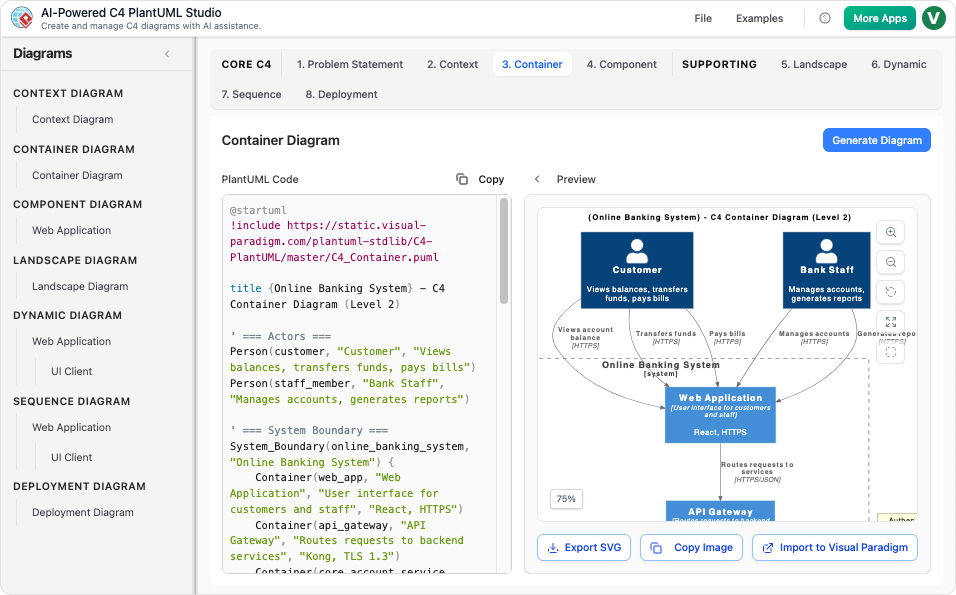
AI-Powered C4 PlantUML Studio: Purpose—Build full C4 models (Context, Container, Component, Code) step-by-step with traceability across levels.
-
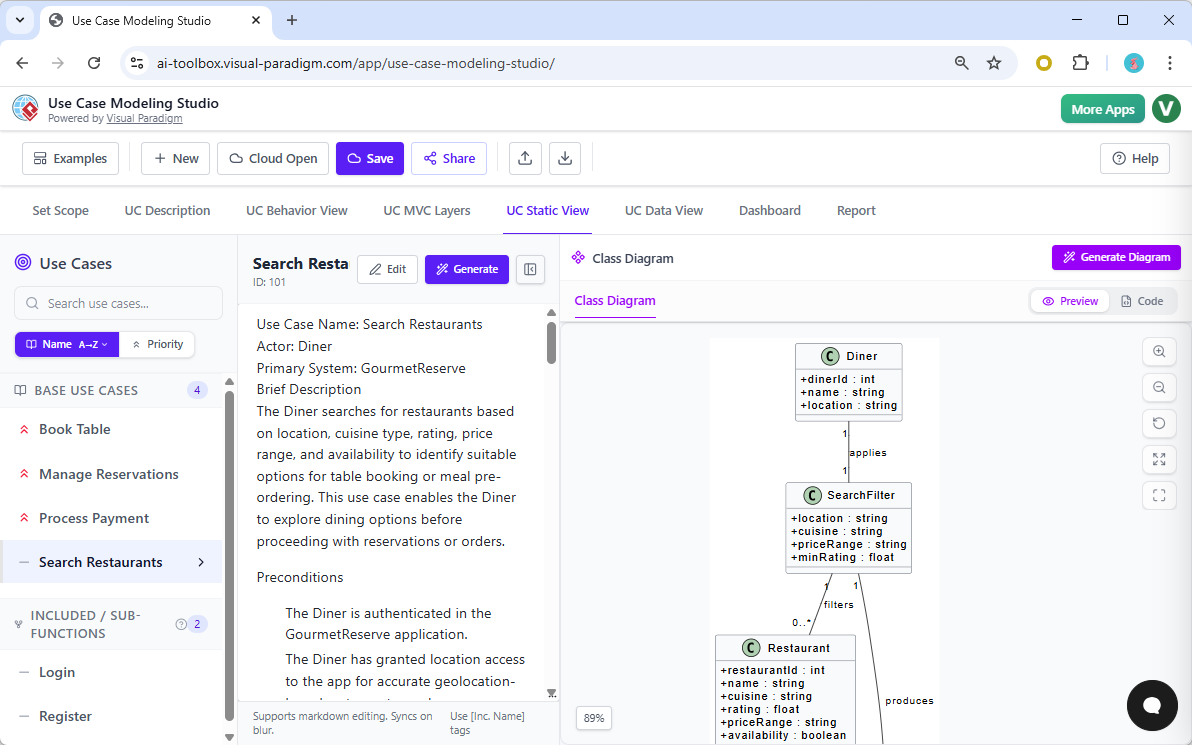
The AI-Powered Use Case Modeling Studio + Use Case Driven Development Assistant: Purpose—Generate use case diagrams, scenarios, descriptions, and derive activity diagrams from requirements.
-
AI-Assisted UML Class Diagram Generator, AI MVC System Architecture Generator: Purpose—Create class diagrams and MVC architectures from text/use cases.
-
PlantUML Sequence/Deployment Diagram Builders, Sequence Diagram Refinement Tool: Purpose—Model interactions, timing, and deployment.
-
Use Case to Activity Diagram Generator, Extend/Include Use Case Analyzer: Purpose—Automate derivations and refinements.
-
AI Cloud Architecture Studio: Purpose—Design diagrams for AWS, Azure, Google Cloud, Kubernetes, etc., from intuitive descriptions.
-
DBModeler AI, AI-Powered Textual Analysis: Purpose—Turn requirements text into ERDs, class diagrams, or other models.
3. Agile Workflow & Project Management
-
Agilien: AI-Powered Jira Backlog Planner: Purpose—Generate and refine product backlogs, user stories, estimates, and sprints from requirements.
-
User Story Generator, Agile Backlog Refinement: Purpose—Break epics into stories with acceptance criteria.
-
Risk Prediction Engine, Development Plan Generator: Purpose—Forecast risks and create plans.
4. Content & Visual Creation (Infographics, Charts, Presentations)
-
AI-Powered Infographic Generator + 3- to 8-Aspects Infographic Designers: Purpose—Turn data/prompts into multi-aspect visuals (e.g., SWOT as infographic).
-
AI-Powered Markmap Studio, AI Tree Diagram Maker: Purpose—Convert markdown/hierarchies into mind maps or trees.
-
AI-Powered BI Analytics, AI-Powered Charts (radar, bar, pie, etc.): Purpose—Visualize data insights.
-
AI Flipbook Maker, Illumy AI Slide Maker, Markdown Presentation Maker, AI Animated Banner Generator: Purpose—Create interactive flipbooks, slides, and banners.
-
AI-Powered Site Builder: Purpose—Generate websites from prompts.
5. Process Analysis & BPM
-
AI-Powered Value Stream Mapping Editor, Intelligent BPM and Analysis Suite: Purpose—Map processes, identify bottlenecks, generate reports (e.g., Lean Six Sigma DMAIC).
-
AI-Powered Decision Table Generator: Purpose—Model rules and decisions.
-
AI-Powered KPI Performance Diagram Builder: Purpose—Track and visualize performance metrics.
6. General & Other Diagrams (Supported Across Platforms)
The ecosystem covers 20+ UML/SysML types (e.g., Class, Sequence, Activity, State Machine, Deployment, ArchiMate viewpoints, ERD, DFD, Mind Maps, Flowcharts, Organization Charts, Fishbone, Timelines, PERT, Breakdown Structures) via chatbot, Desktop, and web apps. Purposes range from static structure modeling to dynamic behaviors, data flows, and enterprise architecture.
How the Apps Fit into the VP AI Ecosystem
All apps integrate with the four platforms:
-
Use the Chatbot for quick conversational starts (e.g., “Create a C4 context diagram for an e-commerce system”).
-
Switch to Guided Web Apps for structured, traceable builds.
-
Embed results in OpenDocs for living documentation.
-
Refine/export in VP Desktop for production use.
Benefits highlighted in the guide: Widest diagram coverage, multi-workflow flexibility, real traceability (not one-shot generation), and professional, implementation-ready outputs. Teams save hours on initial creation while maintaining accuracy for complex projects.
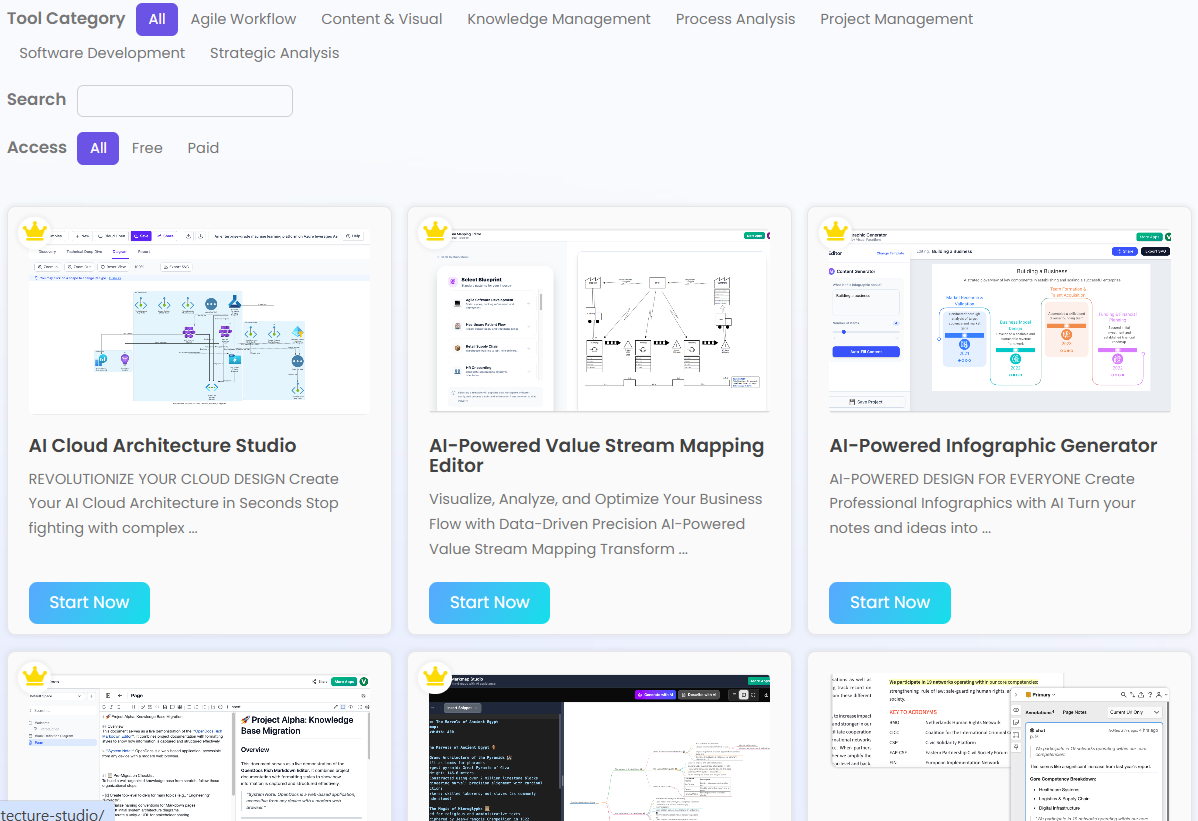
Visual Paradigm continues adding apps monthly, making the ecosystem a living, evolving powerhouse for anyone doing visual modeling—from strategy sessions to software architecture. To explore the full 50+ library, visit ai.visual-paradigm.com or start with the free tools at ai.visual-paradigm.com/free-ai-tools/.
This AI-driven approach positions Visual Paradigm as the go-to for modern visual modeling: fast, intelligent, and deeply integrated. Whether you’re a solo architect or enterprise team, these apps turn ideas into actionable, interconnected diagrams with minimal effort.
-
AI-Powered Markmap Studio: Turn Thoughts into Visuals: This revolutionary web application transforms visual brainstorming by combining Markdown simplicity with generative AI to build interactive diagrams.
-
AI Animated Presentation Studio – Visual Paradigm AI: An AI-powered web studio that integrates slide-based editing with generative AI to write, design, and animate presentations effortlessly.
-
AI-Powered Use Case Modeling Studio Release: Visual Paradigm introduces a specialized studio environment that uses AI to enhance use case modeling and broader software design activities.
-
C4-PlantUML Studio: Revolutionizing Software Architecture Design: This resource explains how the studio combines AI-driven automation, the structural clarity of the C4 model, and PlantUML’s flexibility into a single powerful tool.
-
AI-Powered Website Builder Tool: This generative AI web application allows users to create fully functional websites quickly and efficiently from basic descriptions.
-
AI Image Upscaler Tool – Online Photo Effects Studio: Part of an online studio for photo effects, this tool uses advanced AI to produce high-quality images and upscales them without requiring local software installation.
-
Lumina AI Slideshow Maker: Presentation Automation: This AI-driven web studio allows users to generate high-quality, professional slides from simple text inputs to save design time.
-
AI Chatbot for Diagram and Model Generation: A conversational web-based assistant that enables users to generate professional diagrams and models through natural language prompts.
-
AniFuzion: Online 3D Video and Animation Maker: A browser-based animation studio that empowers non-professional animators to create immersive 2D and 3D videos without advanced technical skills.
-
Leveraging Visual Paradigm’s AI C4 Studio for Architecture Documentation: This guide details how the AI-enhanced studio is used to create clean, scalable, and maintainable software architecture documentation.
-
Visual Paradigm Online: Professional Visual Content Creation: This cloud-based office suite provides AI-powered productivity tools for documents, spreadsheets, and presentations accessible through any web browser.
-
AI-Powered KPI Performance Diagram Builder: This guide provides a walkthrough for using AI-driven web tools to create dynamic, real-time performance dashboards for business analytics.
-
Mission Model Canvas | AI-Powered Strategy Tool: A purpose-built web application that serves as a strategic partner, using AI to generate structured canvases and strategic insights instantly.
-
Power Image Translator using AI OCR and Translation Technology: An innovative web application that detects and translates text within images while preserving the original layout and design using AI.
-
AI Tree Diagram Maker: Generate Hierarchies Instantly: This interactive web application uses generative AI to turn text into professionally formatted hierarchical diagrams like WBS and mind maps.