
In the realm of diagramming and modeling tools, Visual Paradigm stands out with its ecosystem of AI-powered solutions. Among these, the Visual Paradigm AI Desktop, often referred to as VP Desktop or Visual Model, serves as the flagship application, integrating artificial intelligence directly into a professional desktop environment for offline, precision-based modeling.
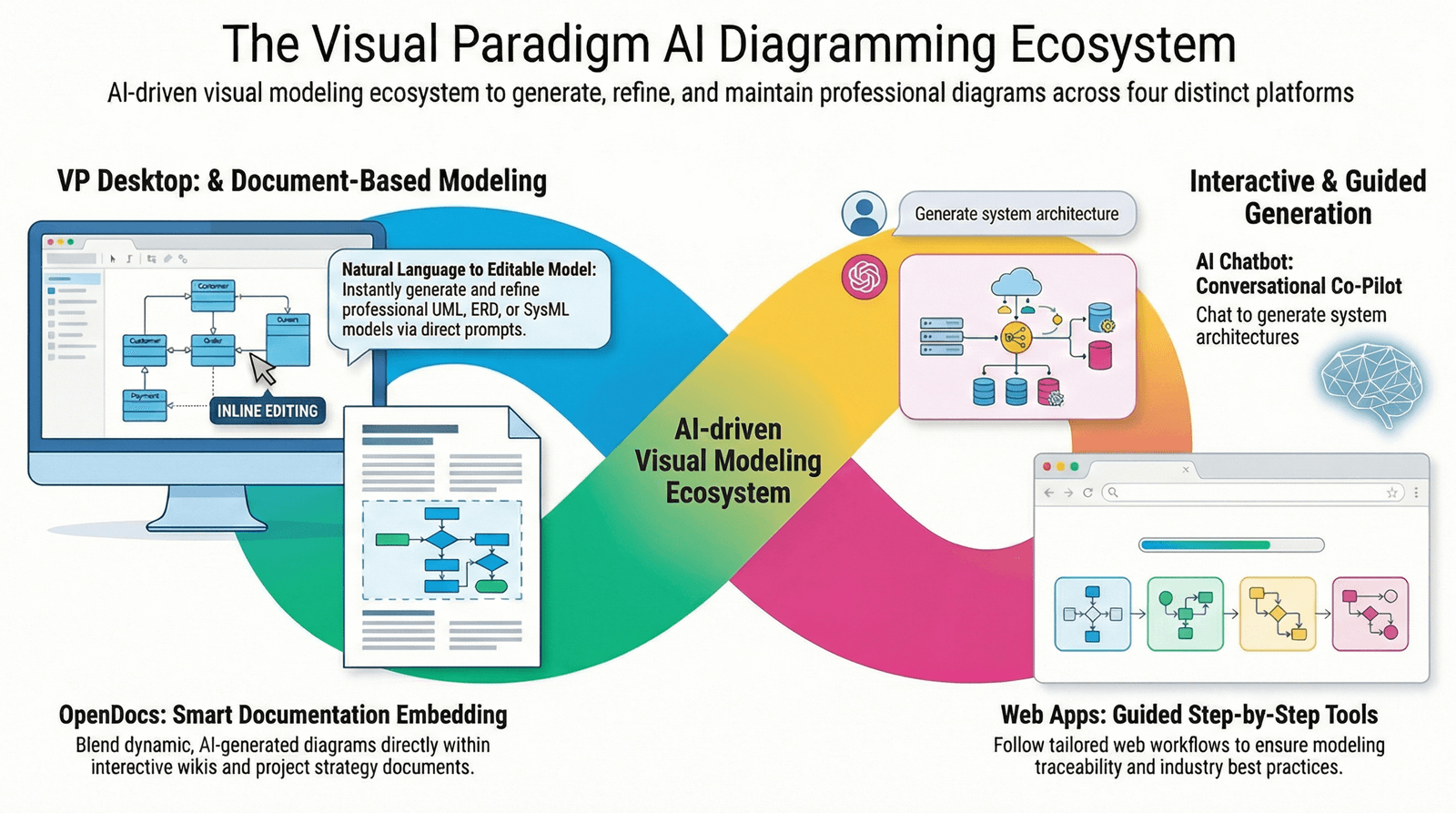
This tool is particularly suited for users handling complex projects, such as enterprise-level UML or SysML designs, code engineering, and team collaborations involving version control. By blending AI generation with advanced editing capabilities, it offers a unique value proposition for developers and architects who prioritize accuracy, scalability, and full control over their work.
Key Features of Visual Paradigm AI Desktop
The core strength of VP Desktop lies in its AI-powered diagram generation, seamlessly embedded within a robust diagramming platform. Users benefit from advanced editing tools that enable precise modeling, offline functionality for deep work without internet reliance, and features like traceability, code or report exports, and version control for collaborative teams. This integration allows for AI-assisted creation that accelerates initial setups while ensuring models are production-ready and interconnected. Unlike casual tools, VP Desktop emphasizes professional standards, making it ideal for serious engineering tasks.
For a visual sense of the interface, here’s an example of how AI-generated diagrams appear in the desktop environment:
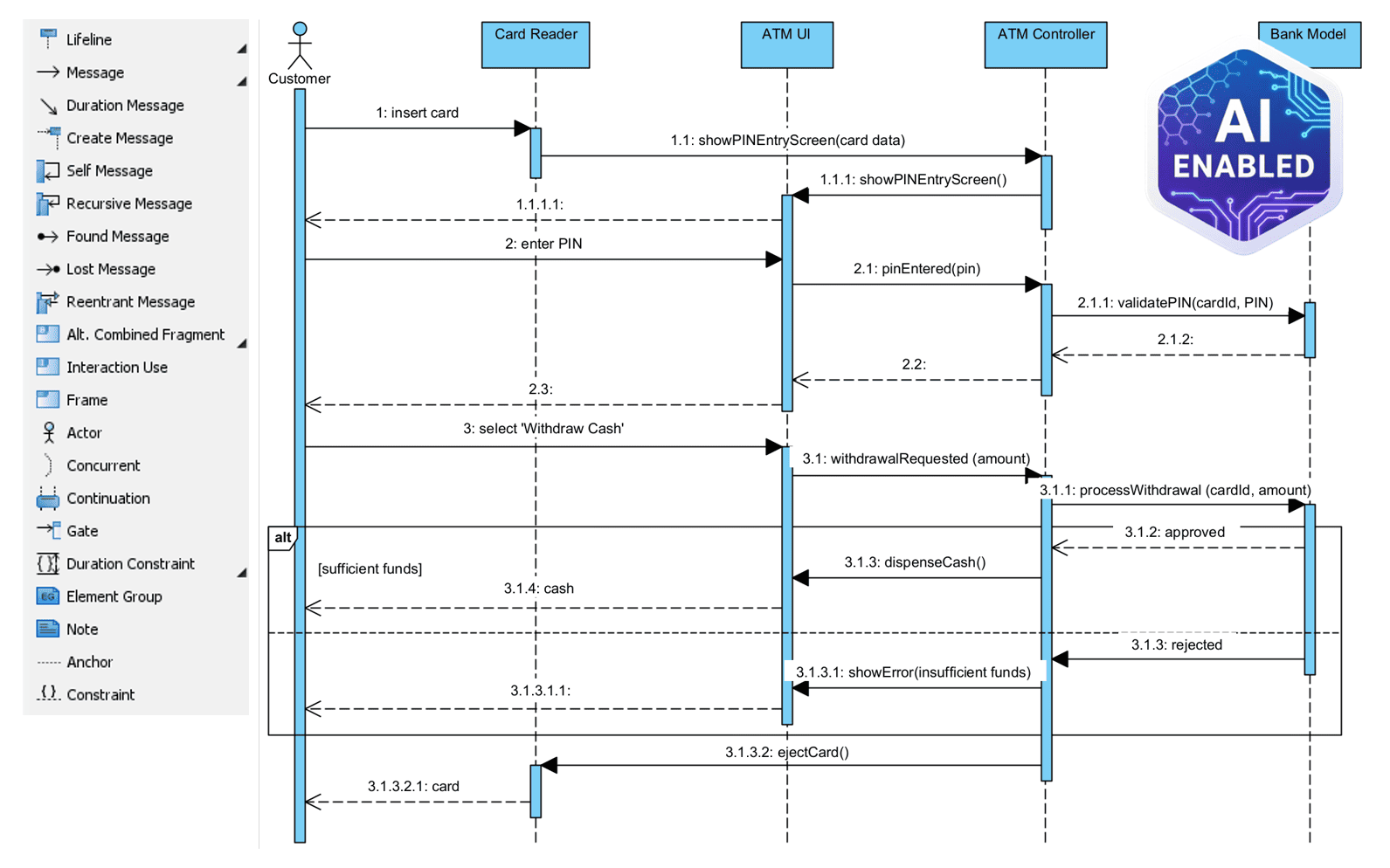
How Visual Paradigm AI Desktop Works
At its foundation, VP Desktop enables users to generate diagrams using AI within the application itself, combining automated assistance with manual refinements for complex and accurate models. The process supports offline deep modeling, allowing professionals to work on intricate designs without connectivity issues. AI is leveraged to speed up the early stages of diagram creation, after which users can employ advanced tools to ensure scalability and precision. This workflow prioritizes user control, transforming raw AI outputs into traceable, implementable models that can be exported to code or detailed reports.
Supported Diagram Types
VP Desktop boasts comprehensive support for a wide array of diagram types, with AI assistance available for creation, generation, editing, and embedding across multiple categories. Here’s a breakdown:
UML Diagrams
- Use case diagram
- Class diagram
- Sequence diagram
- Activity diagram
- State machine diagram
- Deployment diagram
- Component diagram
- Object diagram
- Package diagram
- Composite structure diagram
- Profile diagram
(Note: Communication and timing diagrams are not supported.)
SysML Diagrams
- Requirement diagram
- Internal block diagram
- Block definition diagram
- Parametric diagram
Other IT Diagrams
- Entity relationship diagram
- Data flow diagram (including Yourdon & Coad, Gane and Sarson, and Yourdon DeMarco variants)
Enterprise Architecture and Business Improvement
Cloud Architecture Diagrams
General Diagrams
- Breakdown structure diagram
- PERT chart
- Flowchart
- Mind mapping diagram
- Cause and effect diagram
- Tree diagram
- Timeline
- Family tree
- Concept map
Limited support exists for C4 Model & Architecture Diagrams, and data visualization types are implied through ecosystem integration but not explicitly detailed. Unsupported types include Chen notation ERD, CRC card diagram, textual analysis, and various strategic analysis diagrams like SWOT or PEST.
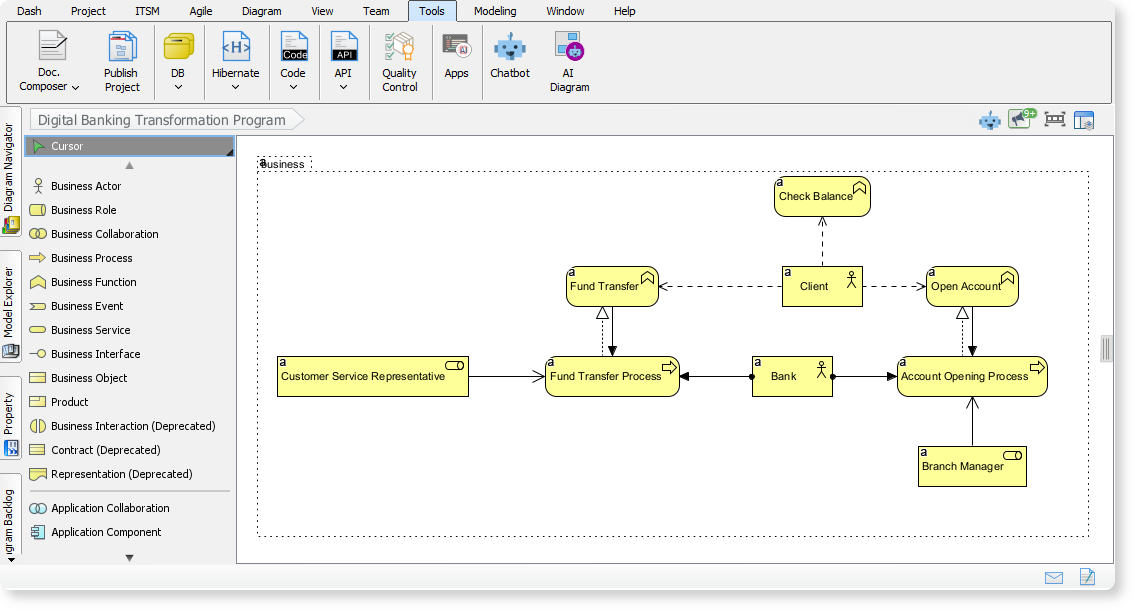
To illustrate, consider this screenshot of an AI-powered ArchiMate diagram in VP Desktop:
Integration with Other Tools
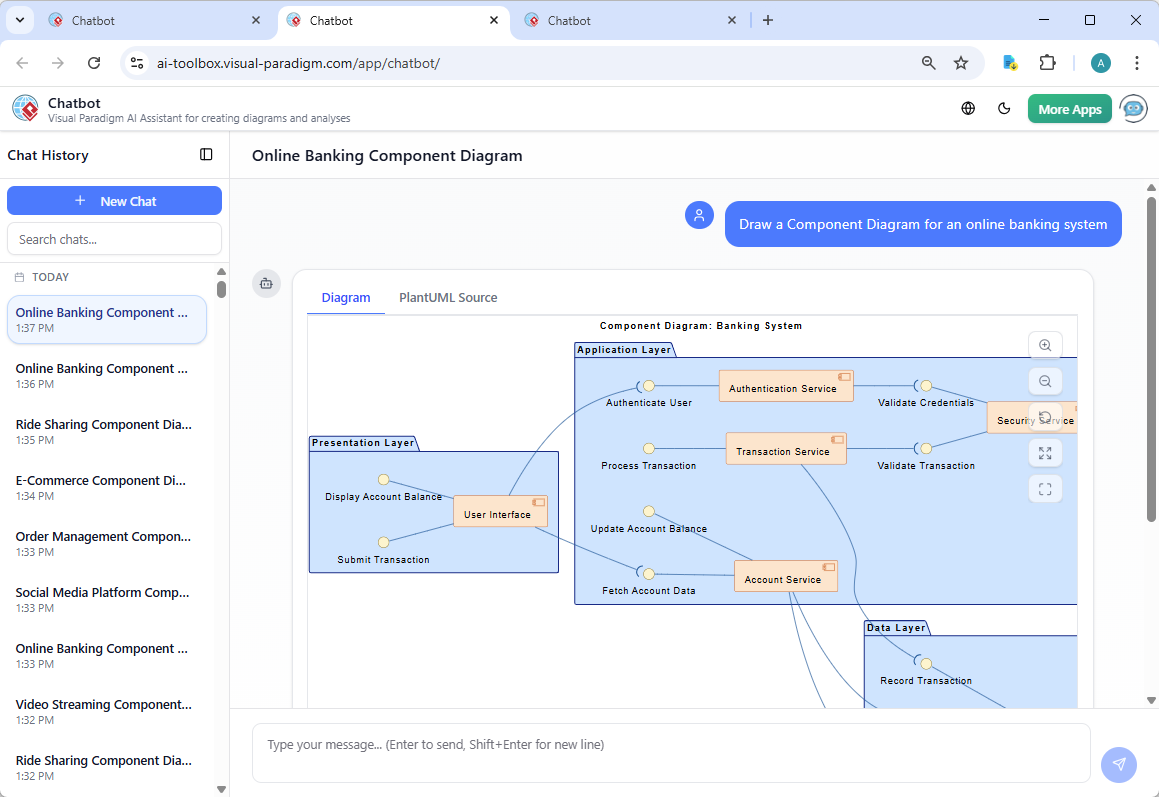
VP Desktop doesn’t operate in isolation; it integrates AI generation with its own advanced editing suite and supports team collaboration via version control. It fits into the broader Visual Paradigm ecosystem, potentially linking with tools like OpenDocs for knowledge management, the AI Visual Modeling Chatbot for conversational aid, and web apps for guided workflows. Additionally, it runs alongside specialized tools such as the AI-Assisted UML Class Diagram Generator and DBModeler AI, enhancing UML and database modeling capabilities. This interconnected approach ensures models are not just created but ready for real-world implementation.
Here’s an example from a related component in the ecosystem, showing how AI interfaces might appear:
Usage Instructions
Getting started with VP Desktop involves accessing AI features directly within the application for diagram creation and editing. It’s best for enterprise projects requiring offline precision: use AI for initial setups, refine with tools, and export models. Users can refer to ecosystem guides for specific tasks, like AI-Powered Use Case Modeling or Sequence Diagram Refinement, accessible via desktop integration.
Benefits and Limitations
The primary benefits include significant time savings on complex project setups, production-ready models with traceability and scalability, and full offline control for professional users. It accelerates workflows while maintaining high accuracy standards.
However, it’s not ideal for quick sketches or casual diagramming, focusing instead on professional needs. Limitations include lack of support for certain diagrams (e.g., communication, timing, or most C4 models), restricted AI for strategic analyses, and no direct casual features like OpenDocs-style diagramming.
In summary, Visual Paradigm AI Desktop represents a powerful pillar in the ecosystem, empowering users with AI-enhanced tools for sophisticated modeling tasks. For developers and architects in Seattle or beyond, it’s a go-to solution for turning ideas into implementable designs efficiently.